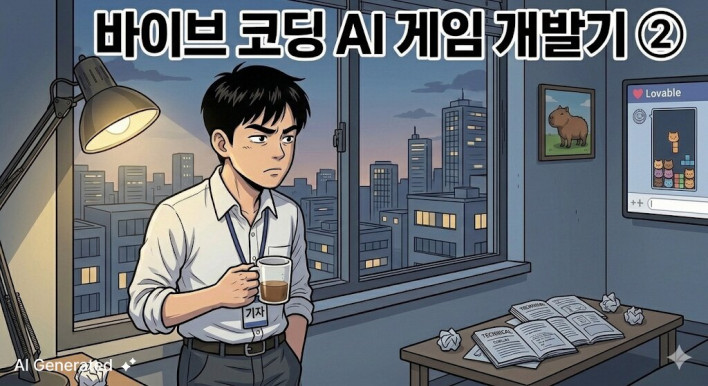
It has been a full four months since Part 1 was released. I started it boldly as a "long-term project to continue throughout 2026," but it was difficult to finish writing Part 2. To make an excuse, it wasn't just due to laziness. In fact, I had almost given up on this project.
The reason is simple. The 'Tap Tap Capybara' created with Lovable did not work properly. Do you remember the 'Tap Tap Capybara' shown in Vive Coding? ©INVEN First, a bug appears. You tell Lovable, "Fix this." Then it confidently replies, "Yes, I fixed it!" But it is not fixed. You say again, "It didn't work?" It says, "I'm sorry, I definitely fixed it this time!" But it still doesn't work. This infinite loop repeated for several days. You have no idea where the mistake started and ended. Besides, I don't have the ability to fix it. In fact, there was a more fundamental problem than the bug. When I command Vive Coding to "make a clicker game," the AI produces a result that looks plausible. The screen is fine, the buttons work, and it seems like something is functioning. So I thought, "Oh, am I actually making a game with Vive Coding right now?" It makes you want to. But in reality, it is not. It is like asking an AI to build a house. You say, "Build me a house," and a rough shape of a house appears. However, when you open the door and go inside, there are no drainage facilities, no electrical wiring, and it is just a shell that looks like a house. It looks fine on the outside, but it is not a house that a person can live in. The capybara I made was exactly like that. It stomped its feet cutely, but there was no substance inside that could be called a game. 'Real' Vibe Coding Met at location1 While browsing the internet, I came across a video of someone creating a game using Vive coding. This person was building Super Mario using Vive coding, and perhaps because they were a former developer, the level of perfection was exceptional. They were effortlessly constructing a real house that people could actually live in, a level far beyond the 'shell house' I had made. Most importantly, the video captured the entire process of how this person created the game, step-by-step from the very beginning. Watching it, I thought, 'If I follow that sequence, maybe I can do it too?' I gained the courage to take on this project once again, a project I had attempted and given up on repeatedly for a long time. And in that video, I learned a few important principles of game making. The Vive Coding game making video I actually referenced ©SmartDaddy STEP 1 You must use good AI High-performance AI handles many tasks automatically without the user having to tell it every time. Conversely, with low-performance AI, the user has to fill in the gaps accordingly. It wasn't that Lovable was incompetent, but it wasn't the 'best performing' tool at the time I was making the game. Lovable was good at quickly generating prototypes. However, when the moment came to involving complex logic or refining the code structure delicately, its limitations became apparent. Above all, I didn't really get the feeling that the AI was 'automatically doing' exactly what I wanted. In the four months since I wrote Part 1, AI has advanced just as rapidly, so I decided to use a new tool. That is 'Claude.' There were indeed many AI tools to assist with coding, but I remember that among the more than 12 types of AI coding agents, 'Claude' was the first to start receiving positive reviews in the coding field. In fact, Claude maintained its position as the most preferred model among AI engineers until the end of 2024, and it was so beloved by developers that coding agents adopting Claude as their dedicated model achieved monthly revenue of $4 million within just four weeks of launch. (However, now another AI coding tool is receiving better reviews than 'Claude,' so the world is changing very fast.) I have tried various tools such as Gemini and Grok, but when running the same code, the results from 'Claude' were definitely better. It wasn't just a matter of the code running; it understood the context I wanted better, searched for documentation on its own when errors occurred, and maintained consistency throughout my long codebase.
STEP 2
The second is the game design document.
YouTube This was one of the key points I learned from the video. They say a game design document is like a blueprint when building a house. You need a blueprint to build solidly and completely from the foundation to the end. Recalling how I built a shell of a house in the clicker game 'Capybara' in Part 1 using only a few lines of prompts, I was reminded once again of how little I knew back then. First, I asked Claude, "List the types of web games you can make, in order of difficulty from easiest to hardest." He then provided a long list. The easiest ones were things like Tetris, but I wanted to make something a bit more challenging. So, among the genres in the 'intermediate' difficulty category, I chose a defense game, which I had enjoyed playing in the past. Of course, I didn't know what was required to make a defense game. I gathered information about defense games I knew from those around me, handed it over to Claude, and said, "Please create a design document based on this." The result was surprising. Claude produced a design document for a defense game of quite decent quality. And when I asked him to build the game based on this document, a fairly decent game emerged right from the start. Wow. Compared to the time I was stuck on a wall and tearing my hair out over the capybara, the game was created surprisingly easily. The difference that the presence or absence of a 'game design document' makes is this huge. Part of the game design document actually written by Claude ©INVEN Even though I only provided information found on the internet, he crafted a very detailed design document ©INVEN Of course, I didn't write it exactly as it came out; it requires review and adjustments. ©INVEN

The third thing I learned was to complete the logic before adding graphics. Regardless of whether it is in the form of clay or a mass of polygons, the priority is to make the game run properly first. (This is advice I should have heeded, considering I struggled through version 12 in Part 1, starting with the appearance of Character.)
Fortunately, the prototype game worked well. The Monster s moved along the path in the way I wanted, and the units attacked. From here, I began fine-tuning. How to place units on the map, how to combine units, adding new Monster, setting victory and defeat conditions... I tweaked each one individually. The process was difficult, but it was incredibly fun. While pondering, "What is needed to make it feel like a proper game?", I added the necessary features one by one. I added units, added Monster, tried adding BGM, and added special effects and various Effect s one by one. As time went by, seeing the game come together gave me a sense of satisfaction, so I ended up coding without realizing how much time was passing. What was even more impressive was that even though I, who don't know how to code, gave various commands, 'Claude' handled the work on his own. Also, when I asked 'Claude' to "suggest things to improve the game's completeness, excluding balance aspects," he created the game while making various very useful suggestions. As I focused so hard on development, I suddenly had the illusion that I had actually become a game developer. With the addition of units, Monster, combinations, etc., the logic was completed to some extent. Wow! ©INVEN
STEP 4
The fourth step is the graphic work.
This was more challenging than I expected. First, to obtain the graphics I wanted, I requested various images from different tools, and then I needed to edit them directly in Photoshop to refine them into the form I desired. I had to manually cut out and input each element one by one. It would have been impossible to do this work if I hadn't known how to use Photoshop. There were many cases where the AI couldn't understand what was being said using only image prompts, and constantly pouring in tokens to adjust minute details wasn't efficient. (This is a lesson I learned painfully during Part 1, Capybara.)
The really difficult part came next. Once we applied graphics to a running game, problems poured in, such as images getting cut off or Monster's movement not matching the graphics. These were things that could only be identified by actually applying them to see how they looked in the game. We fixed these issues one by one while consulting with Claude, and this also took a considerable amount of time.
Personally, I also had an interesting experience during this process. We divided the roles with Claude for coding and Gemini for graphics, and the workflow was quite convincing. The process involved having Claude organize the necessary design specifications, passing the details to Gemini to receive the graphics, and then applying the completed images back to Claude while receiving feedback. At some point, I felt like I had become a PM coordinating the schedule, going back and forth between the development and design teams. This was despite the fact that, in reality, I was sitting alone, going back and forth between two teams. Once the image work was finished, it definitely started to feel 'game-like.' As I felt proud and a sense of accomplishment grew, the time I dedicated to game development naturally increased. Since updates were happening instantly exactly as I wanted, it became increasingly common to use up my token quota in a flash, stop, and then resume work.
Request design specifications from 'Claude' to send to 'Gemini' ©INVEN
Show the received results to 'Claude' and get feedback to send to 'Gemini' ©INVEN Like this, constantly switching back and forth between 'Claude' and 'Gemini', I create graphics to overlay on the unit and Monster, and also try making background maps. data-nid="91">
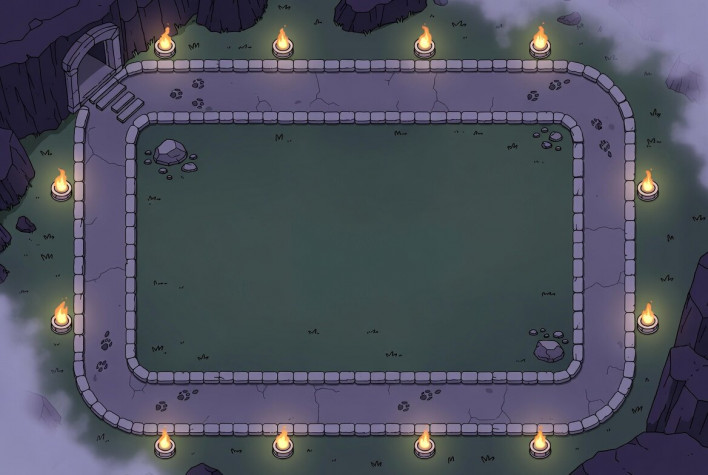

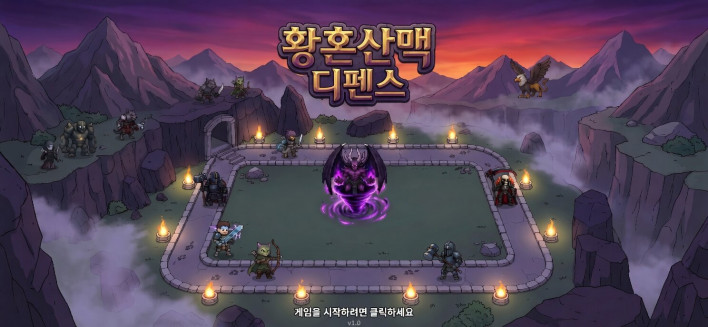
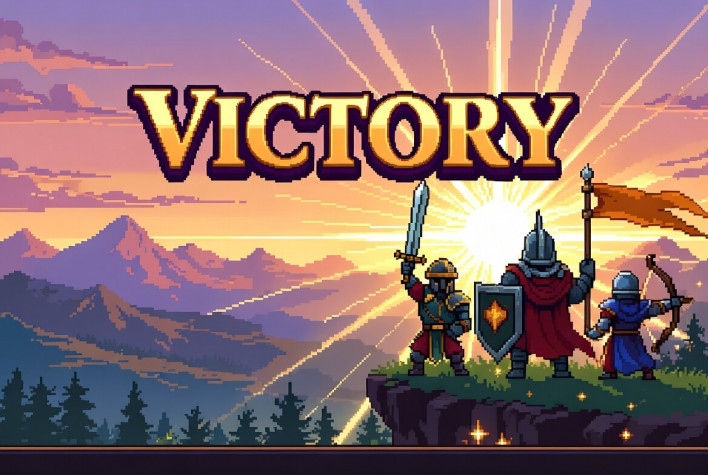
The final step was balancing.
It was a task of designing level while actually playing the game, and since I was doing it alone, it was really not easy. While testing alone, I kept thinking, "Is it too easy?" when it broke easily, and "Did I balance it wrong?" when it was difficult. Unable to bear it any longer, I asked acquaintances to test it, but even then, since everyone has a different understanding of the game and defense games have significant random elements, the results varied. So, while adjusting the balance of this game, I also thought, "Ah, now I understand why games are sometimes not well-balanced when they are released." After going through twelve rounds of balance adjustments like that,
somehow the game was completed.



A liberal arts student with zero coding skills made this game
I am surprised and satisfied by the fact that I, who know absolutely nothing about coding, managed to create a game that actually works. And I also realized just how much fun it is to make games. I learned a lot while making it. During the process of adding graphics, I organized prompts and repeatedly made requests, much like giving feedback to a designer in a development studio. I learned that this is by no means easy, and I also felt how arduous the work of balancing is. Although it is possible to make a game without knowing coding, 'making a game' involves so many hurdles to overcome besides coding. Just the fact that I was able to experience all of this firsthand while making the game made this a project from which I gained a lot. And above all, I feel a sense of fear in one corner that I, who knew absolutely nothing about coding, managed to build a game to this extent using only 'Vive Coding'. Compared to 'Lovable' four months ago, I found myself having complex and diverse thoughts about how rapidly AI is advancing, what emotions developers in the field must be feeling, and what it means to live in such a world. Although I eventually let go of the capybara I had grabbed by the collar four months ago, I ultimately created a game that runs with my own hands. The reckless challenge of a liberal arts student with zero coding scores was able to succeed thanks to the advancement of AI.


Sort by:
Comments :0