
The gaming laptop market has shifted its focus to 16-inch models, which offer the most balanced compromise between portability and performance. However, if you look a little closer, there is still a steady demand for 17-inch gaming laptops.
17-inch laptops trade some portability for a larger screen, more generous cooling design, and performance that rivals a desktop. For users who primarily game at home and only move their setup when necessary, this form factor effectively bridges the gap between a desktop and a laptop. Furthermore, with the significant performance gains in modern mobile CPUs and GPUs, the old perception that "portability means poor performance" has largely faded.
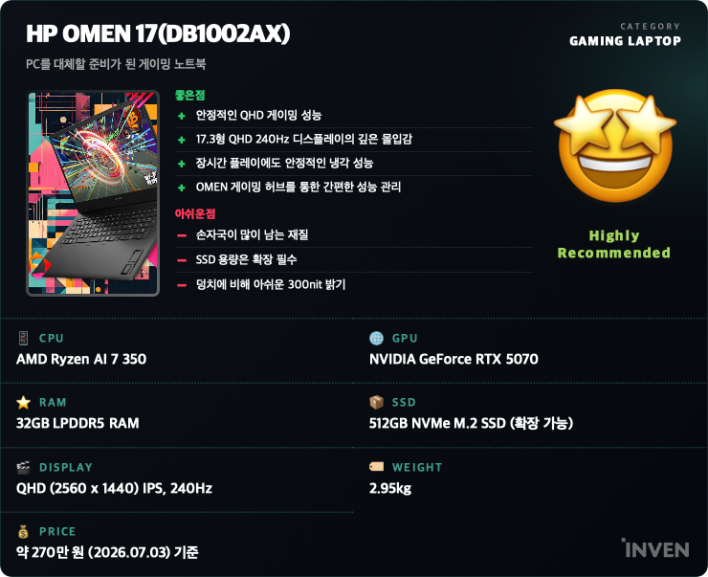
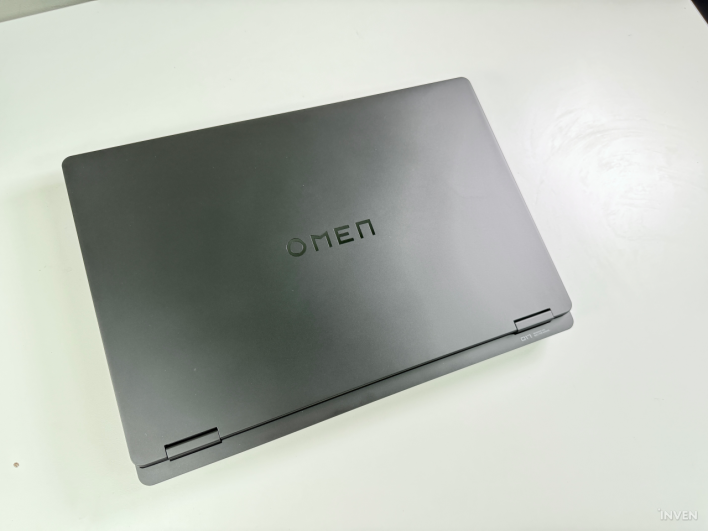
HP's gaming brand, OMEN, has embraced this trend with a new model featuring the latest hardware. The HP OMEN 17 (DB1002AX) reviewed here is a 17.3-inch premium gaming laptop powered by an AMD Ryzen AI processor and an NVIDIA GeForce RTX 5070 Laptop GPU. With a platform that supports AI computing, a QHD 240Hz display, and HP's signature OMEN Tempest Cooling technology, it aims to handle everything from AAA games to video editing and content creation.
Just how good is the 'desktop-class gaming experience' that HP promises? In this review, we take a step-by-step look at the product, covering everything from its basic specifications and design to benchmarks, real-world gaming performance, heat and noise levels, and performance sustainability during long gaming sessions.
Ryzen AI 7 350 + RTX 5070: Built for Gaming and AI Tasks
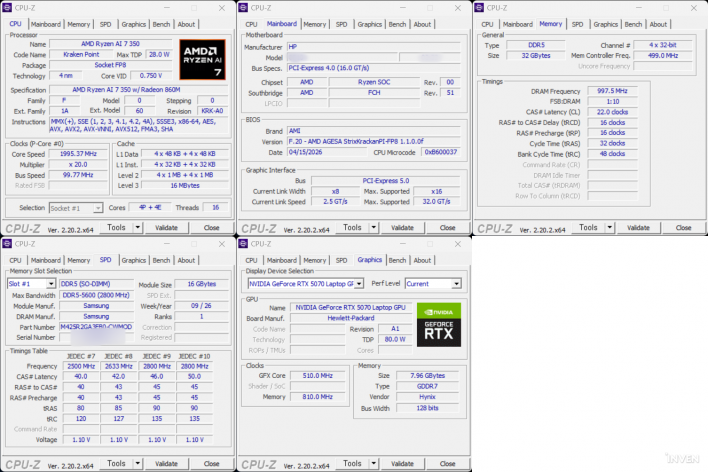
The HP OMEN 17 (DB1002AX) used in this review features an AMD Ryzen AI 7 350 processor and an NVIDIA GeForce RTX 5070 Laptop GPU. Paired with 32GB of DDR5 memory and an NVMe SSD, it is equipped to handle not only the latest AAA games but also high-load tasks like video editing and 3D rendering.
With the latest RTX 50-series GPU, users can leverage cutting-edge AI-based graphics technologies like NVIDIA DLSS 4 and frame generation. This allows for high frame rates even in modern games with ray tracing enabled, providing a smoother gameplay experience in supported titles.
The AMD Ryzen AI platform is another key differentiator. The Ryzen AI 7 350 includes an NPU capable of up to 50 TOPS, handling AI-based workloads at the hardware level. This configuration is designed not only for the growing number of AI features and generative AI tools but also for the future of AI PC environments.
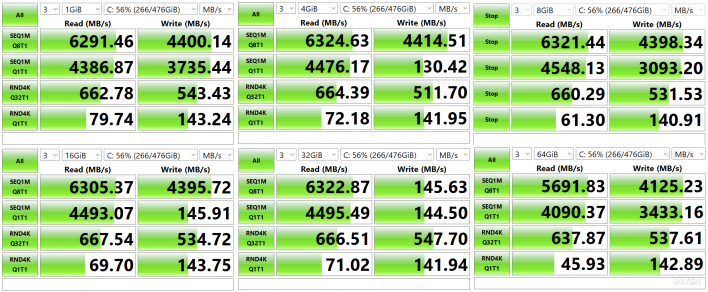
The review unit comes with a 512GB M.2 NVMe SSD, and the internal layout provides an additional M.2 slot for expansion. The memory is also user-upgradable, offering flexibility for those planning to use the system for the long term.
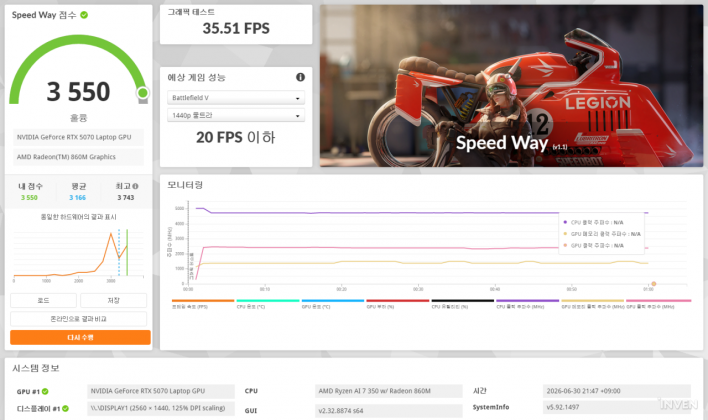
For this review, we first verified the system's baseline performance using CPU-Z, CrystalDiskMark, and 3DMark benchmarks, followed by real-world performance testing with the latest games.
'Desktop-Class Immersion' with a 17.3-inch Screen and Full-Sized Keyboard
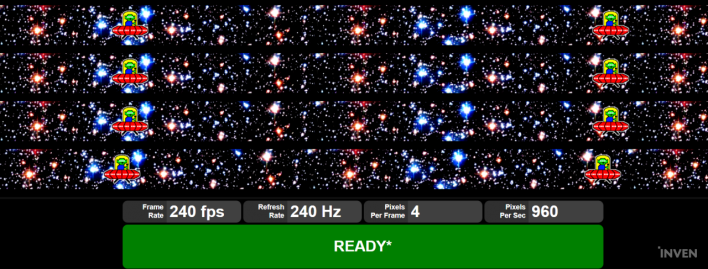
The display is well-suited for a gaming laptop. The 17.3-inch IPS panel supports QHD (2560×1440) resolution, a 240Hz refresh rate, and a 3ms response time. With 100% sRGB coverage, it is suitable for photo and video work in addition to gaming. The 17-inch screen makes it much easier to see mini-maps and UI elements at a glance, which is a significant advantage in FPS or MMORPG genres.
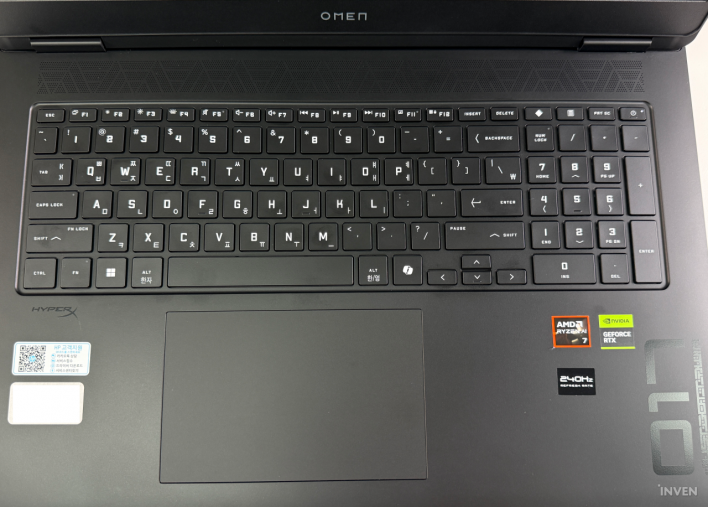
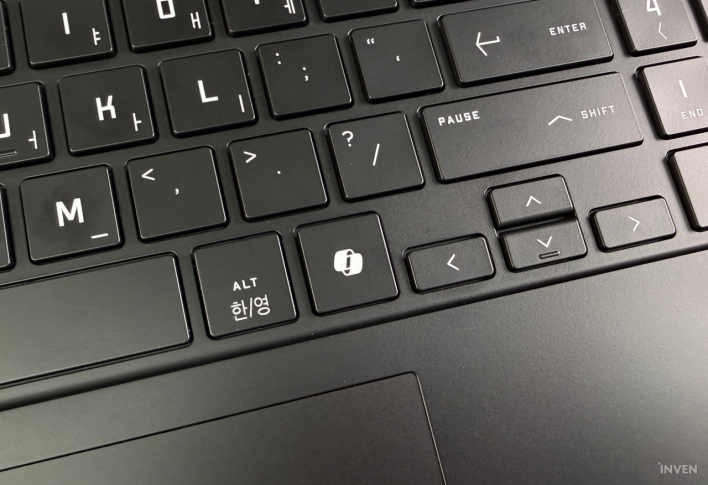
To match its large size, the keyboard features a full layout including a numeric keypad. Because of the space required to fit nearly 108 keys, the arrow keys and function keys (F1–F12) are somewhat small. However, if you are used to standard laptop keyboards, it shouldn't be a major issue. Personally, I found the power button and Print Screen button to be very close, leading to a few accidental presses during the review. Unlike other keys, the power button requires a firmer press, so a stray tap won't accidentally shut down the PC.
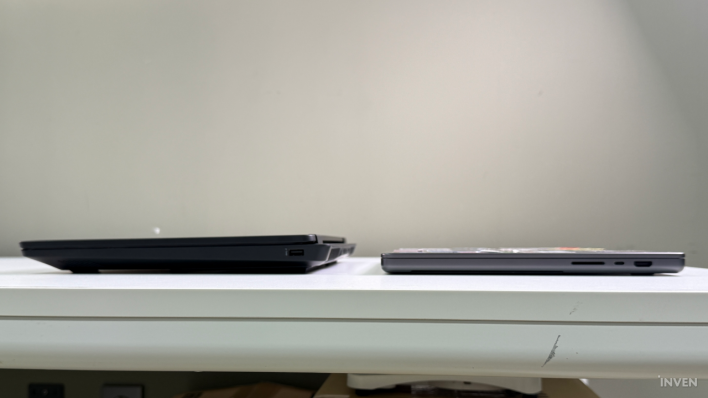
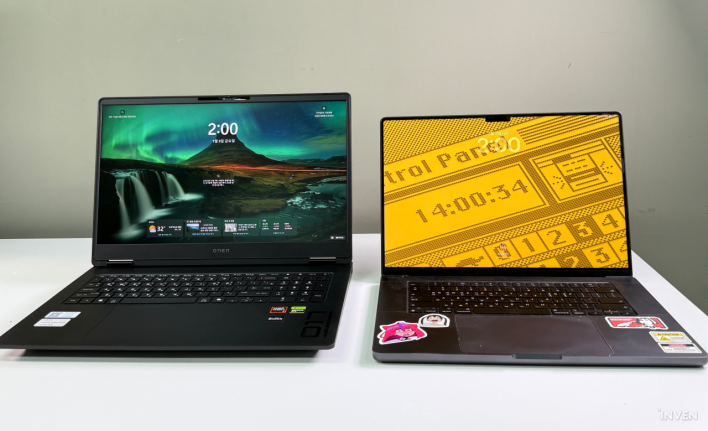
Compared to my 16-inch MacBook Pro (16.2-inch), the OMEN 17's bottom bezel feels relatively thick. However, the side and top bezels are thin, allowing you to fully enjoy the 17.3-inch large screen during actual use.
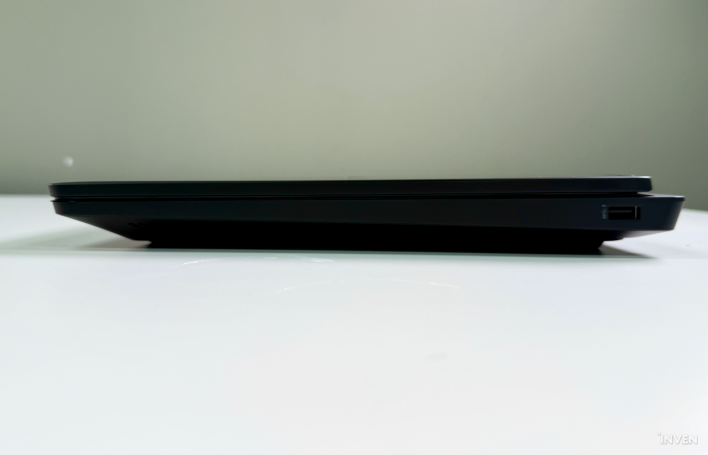
The 17.3-inch 240Hz QHD display and full-sized keyboard are an optimized combination for the MMORPGs I usually play, but the utility of this machine extends far beyond gaming. While the OMEN 17 might look bulky compared to highly portable laptops, it still feels like a 'laptop' when compared to a desktop PC taking up space in the corner of a room. Nevertheless, it is equipped with almost all the features needed to replace a desktop.
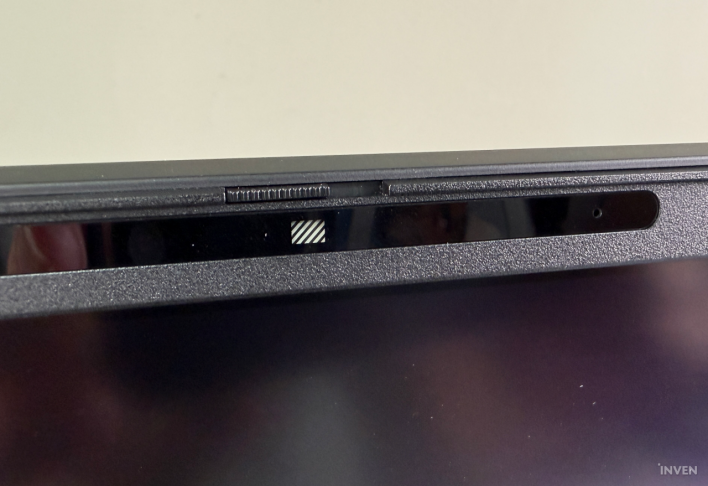
The FHD (1920x1080) camera located at the top of the bezel is perfect for video conferencing or chatting with friends while gaming. It also includes a physical privacy shutter for when the camera is not in use. Furthermore, as an AI-specialized laptop, it leverages the NPU (Neural Processing Unit) integrated into the processor to enable various features like 'Windows Studio Effects.'
Dedicated Software for Easy Hardware Control
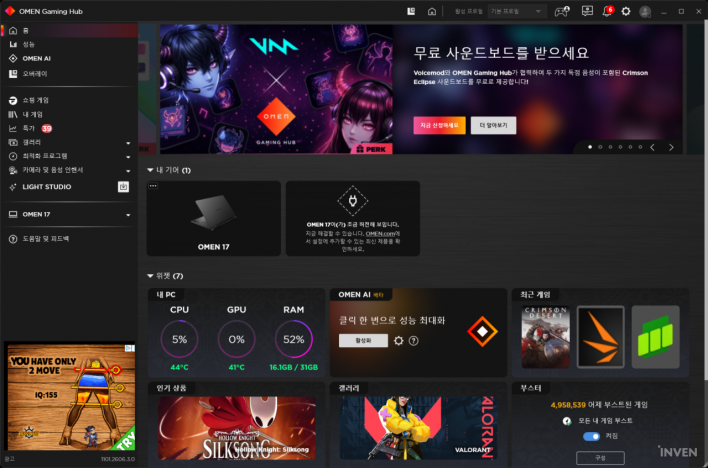
HP provides the OMEN Gaming Hub, a dedicated management program that allows users to control performance, RGB lighting, and system monitoring from a single interface.
The main screen displays real-time CPU and GPU usage, temperatures, and memory consumption, and allows users to switch performance profiles based on their needs. You can prioritize maximum performance for gaming or reduce fan noise for general tasks. For models with RGB backlighting, you can customize lighting effects in detail and save profiles for individual games to load automatically upon launch.
Additional features like network optimization, game library management, and system updates are all available in one interface, eliminating the need for separate programs.
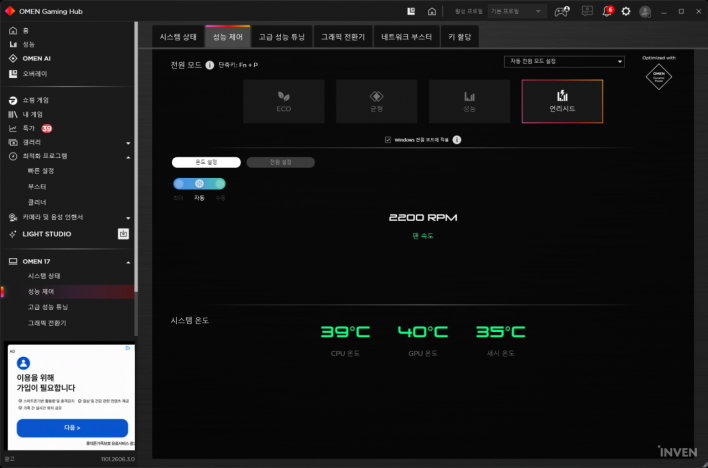
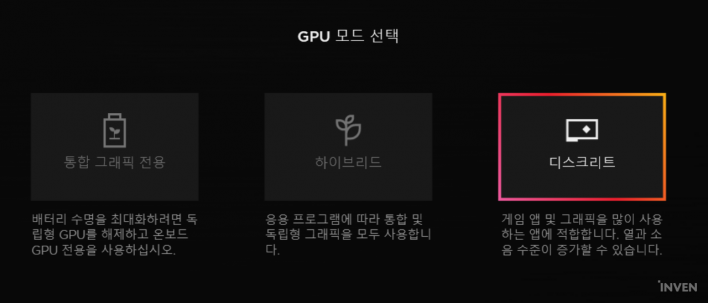
The OMEN 17 allows you to control the GPU and overall laptop performance via the OMEN Gaming Hub. The performance control tab offers modes ranging from ECO to Balanced, Performance, and Unleashed. 'Unleashed' pushes gaming performance to the next level by relaxing power and chassis temperature limits for maximum output. While it uses a hybrid structure—relying on the integrated Radeon 860M graphics by default and only tapping into the power of the RTX 5070 during gaming—you can prioritize the dedicated graphics card through the Gaming Hub settings.
Smooth Performance in Modern Games at QHD
While benchmark scores and versatility are important, what gamers care about most is real-world gaming performance. This test was conducted at the laptop's native QHD (2560×1440) resolution, using the highest or Very High settings where possible, and checking the results with DLSS enabled to reflect actual gameplay conditions.

First, 'Cyberpunk 2077' proved too demanding to play with all settings at maximum. This is less a limitation of the OMEN 17's performance and more a reflection of the game's incredibly wide range of graphical requirements. After compromising on some quality settings like textures, I was able to maintain a comfortable 200 FPS with DLSS Standard + Frame Generation enabled, and 130 FPS when ray tracing was also applied.
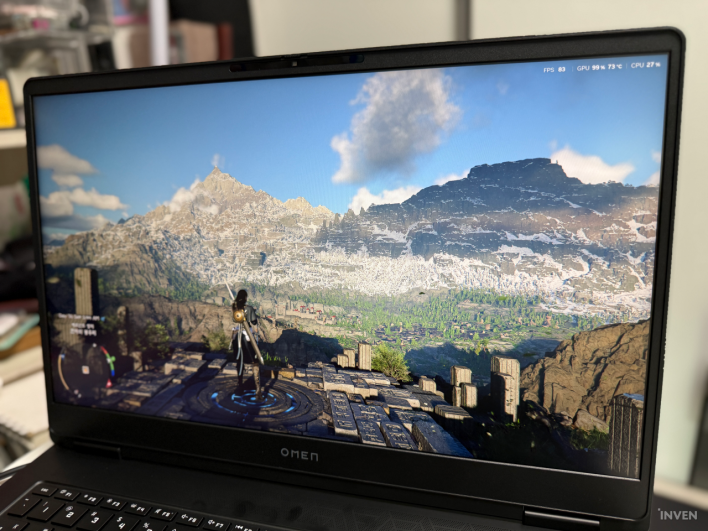
I played Pearl Abyss' 'Crimson Desert' with all options set to 'Cinematic,' which is a step above Ultra. At these settings, the game provided a base frame rate of 30 FPS, but applying DLSS 4.5 maintained a steady 60 to 70 FPS. Enabling frame generation pushed this further to a smooth 150–200 FPS. However, after about two hours of play at the highest settings, thermal throttling caused a sharp drop in performance, making it necessary to compromise on some options to keep the game running smoothly.
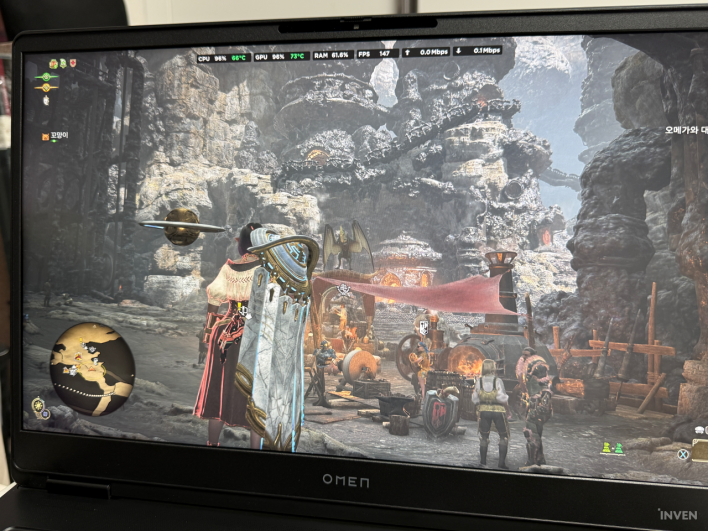
I also tested 'Monster Hunter: Wilds,' which will receive new DLC next year. With graphics presets set to Ultra, DLSS 3x Frame Generation, Quality priority, and high-resolution textures, the estimated VRAM usage was pushed to the limit. Adding ray tracing triggered a stern warning message. It seems ray tracing is perfectly usable if you adjust the settings according to your preferences.
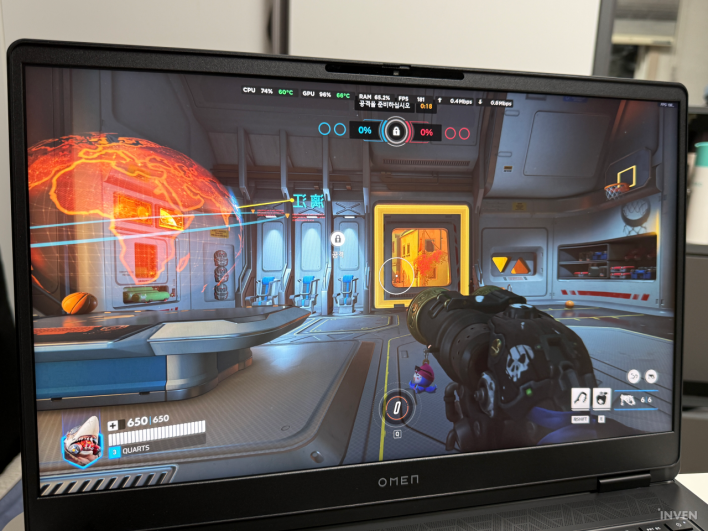
With these settings, I confirmed that the system maintained a stable 150 FPS even during intense combat. Furthermore, the 240Hz high-refresh-rate display provided a noticeably smoother visual experience in multiplayer games like 'Monster Hunter: Wilds' or competitive titles like 'Overwatch.' (Though, of course, a high refresh rate doesn't magically make you a better player.)
HP's 'OMEN Tempest Cooling' Design
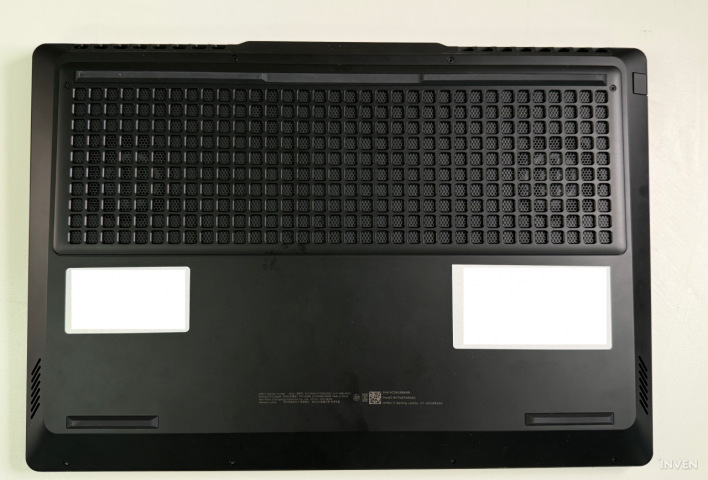
As seen in the 'Crimson Desert' example, no matter how powerful the CPU and GPU are, a gaming laptop will suffer from lower clock speeds and reduced performance if it cannot properly manage heat. Ultimately, what matters most during long gaming sessions is not 'peak performance,' but 'how long that performance can be sustained.'
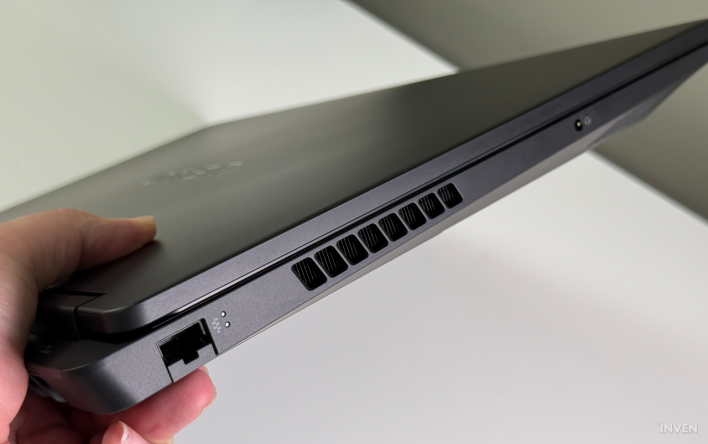
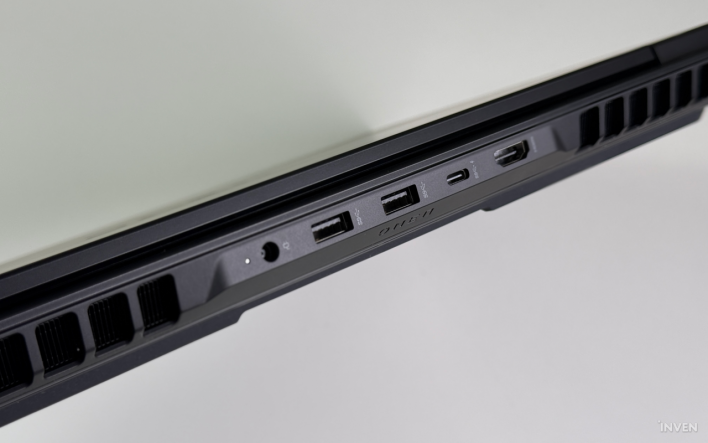
To address this, HP applied its proprietary OMEN Tempest Cooling solution. The design features wide intake/exhaust structures on the bottom and rear, combined with large heat pipes and dual fans to quickly dissipate heat. It also optimizes internal airflow to maintain stable performance under high loads. HP notes that a new fan design with twice the blade count and a 2.5x slimmer profile increases thermal efficiency, with 29% more airflow to keep the laptop cool.
The massive 17.3-inch chassis is advantageous for this cooling design, as it provides more internal space than mainstream 16-inch models, allowing for more efficient placement of cooling components.
In reality, while fan noise and keyboard surface temperatures did increase during long gaming sessions, they never reached a point where I felt concerned. Even after experiencing throttling following two hours of 'Crimson Desert,' fan noise hovered around 60dB (measured via Apple Watch Ultra), and the keyboard deck remained only slightly warm rather than hot. The fact that I was able to play for another three hours after adjusting the settings suggests that the OMEN 17 handles the heat generated by high-end gaming quite well.
A 17-inch Gaming Laptop Ready to Replace a Desktop
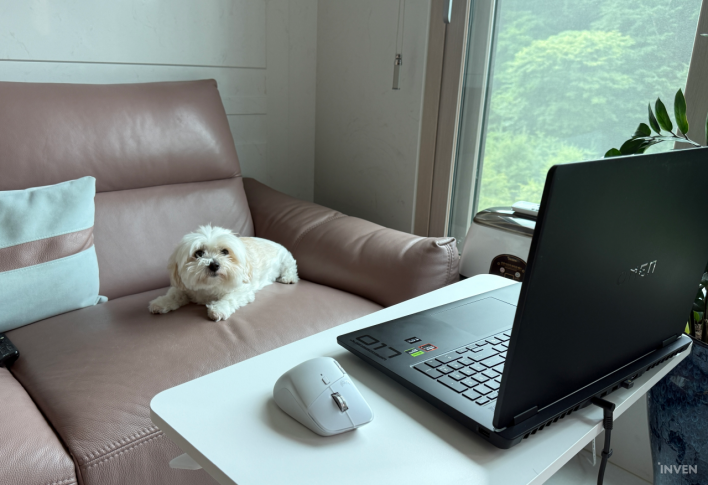
The criteria for choosing a gaming laptop vary. Some want a light device to carry in a bag every day, while others prioritize performance powerful enough to replace a desktop. The HP OMEN 17 (DB1002AX) is clearly the latter.
The combination of a 17.3-inch large screen, AMD Ryzen AI 7 processor, and RTX 5070 Laptop GPU is designed for both modern gaming and content creation. The OMEN Gaming Hub helps even those who know nothing about PCs adjust performance to their liking. Most recent games could be enjoyed comfortably at maximum settings, and some even allowed for immersive ray tracing.
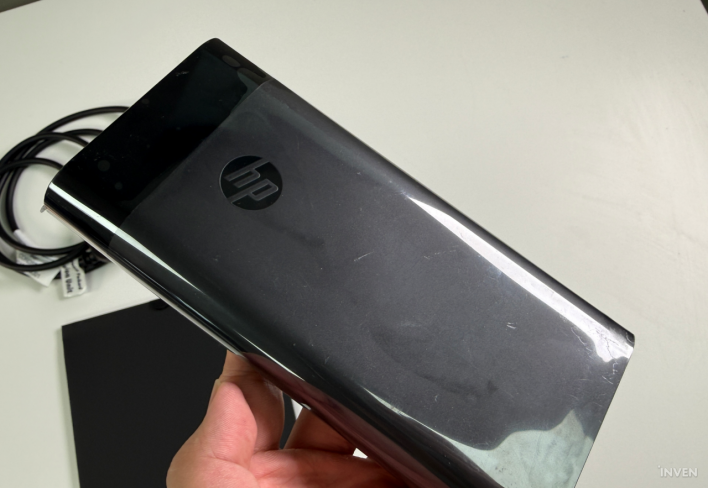
Personally, I find the concept of a 'gaming laptop that replaces a desktop' quite compelling. It is certainly not easy to carry this laptop around, as the unit, power adapter, and cables weigh nearly 4kg. However, the ability to turn any spot in the house into a gaming station or workspace—especially if you have a small desk on wheels—is a major advantage. For those living in environments like a studio apartment where a desktop, monitor, keyboard, and mouse (plus a massive desk to hold them all) take up too much space, a gaming laptop like the OMEN 17 really shines.
Of course, there are downsides. As mentioned, it can be burdensome for users who need to move frequently. It is a different beast from ultra-light laptops designed for cafes and offices. If portability is your priority, this laptop will likely be the first to be crossed off your list.
The fact that the outer chassis is a fingerprint magnet will also be a matter of preference. This has been a recurring point of criticism for the OMEN line, and this model is no different. Fingerprints don't mean the build quality is low; it feels substantial, has no visible gaps, and is well-made—it just shows smudges after only a moment of use.
The IPS display with a maximum brightness of 300 nits also requires careful consideration. This was the most disappointing aspect while gaming for this review, contrasting with the OMEN 17's otherwise robust nature. While brightness isn't a concern when gaming in a dark room at night, the screen can feel dim during the day, which may cause eye strain.
The base 512GB SSD storage might be disappointing for hardcore gamers who enjoy many heavy titles. During the review process, I lacked enough free space to keep 'Cyberpunk 2077,' 'Crimson Desert,' and 'Monster Hunter: Wilds' installed simultaneously, forcing me to delete one game to install another. Of course, this can be resolved by choosing an SSD upgrade option at the time of purchase or by purchasing an additional SSD to expand storage.
If these factors aren't deal-breakers, the OMEN 17's large screen, QHD 240Hz display, and the performance of the latest RTX 50-series GPU offer a near-desktop gaming experience. It is also a highly competitive choice for users looking to consolidate their work and gaming into a single system.

Sort by:
Comments :0