Not long ago, I reviewed the HP OMEN 17 (DB1002AX), which featured a large 17.3-inch display and powerful gaming performance. My conclusion back then was quite clear. While it wasn't something you'd throw in a backpack every day, it was a very compelling "desktop-replacement gaming laptop" for environments where setting up a full desktop tower is impractical, handling both gaming and work with ease.
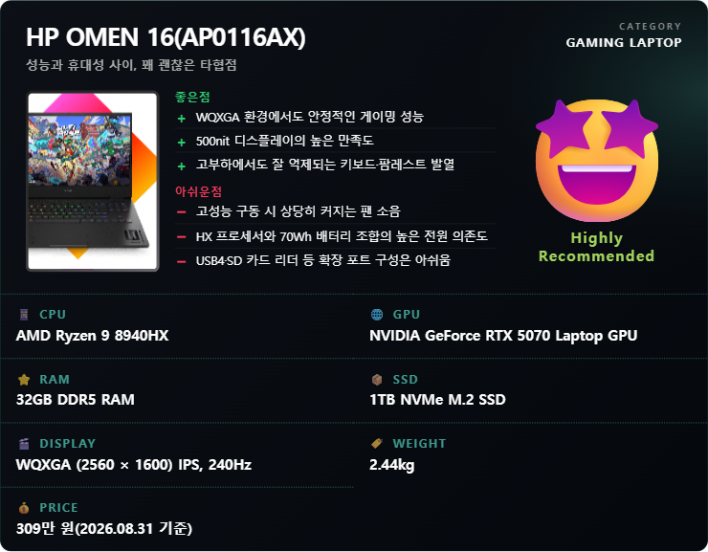
The HP OMEN 16 (AP0116AX) reviewed here brings things down to a more realistic footprint. As the name suggests, the display size is reduced to 16 inches, and the weight of the chassis drops to around 2.44 kg. That doesn't mean gaming performance was heavily compromised. It packs an AMD Ryzen 9 8940HX processor, an NVIDIA GeForce RTX 5070 Laptop GPU, 32GB of memory, and generous base storage with a 1TB NVMe SSD. Based on domestic registered specifications, the RTX 5070 features a maximum TGP of 115W.
What makes it interesting is that despite shrinking in size, it addresses many of the drawbacks found in the OMEN 17. While retaining the maximum 240Hz refresh rate on a 16-inch screen, the aspect ratio expands to 16:10, shifting the resolution to WQXGA (2560×1600), and peak brightness increases up to 500 nits. According to official HP specifications, it also features a 3ms response time, 100% sRGB color gamut coverage, and variable refresh rate (VRR) support.
So how successfully did HP cram the OMEN 17's powerful gaming performance into a smaller chassis? Just like in the previous review, I tested everything firsthand—from baseline system performance to actual gameplay, thermal management, fan noise, and daily usability.
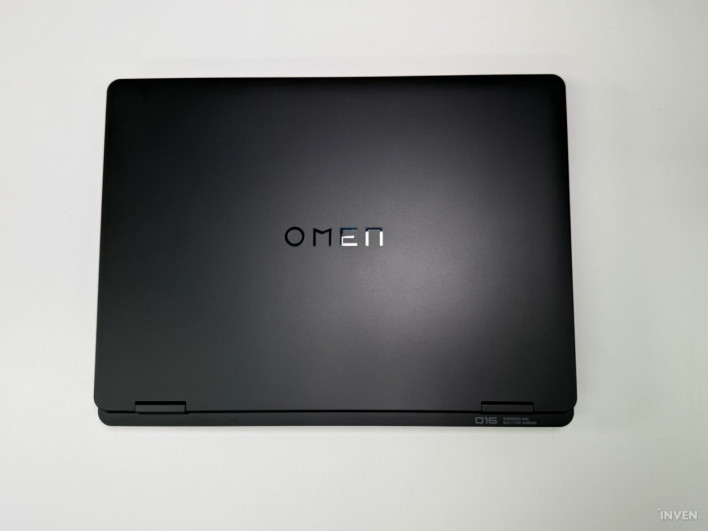
16:10, 240Hz Display and Full-Sized Keyboard
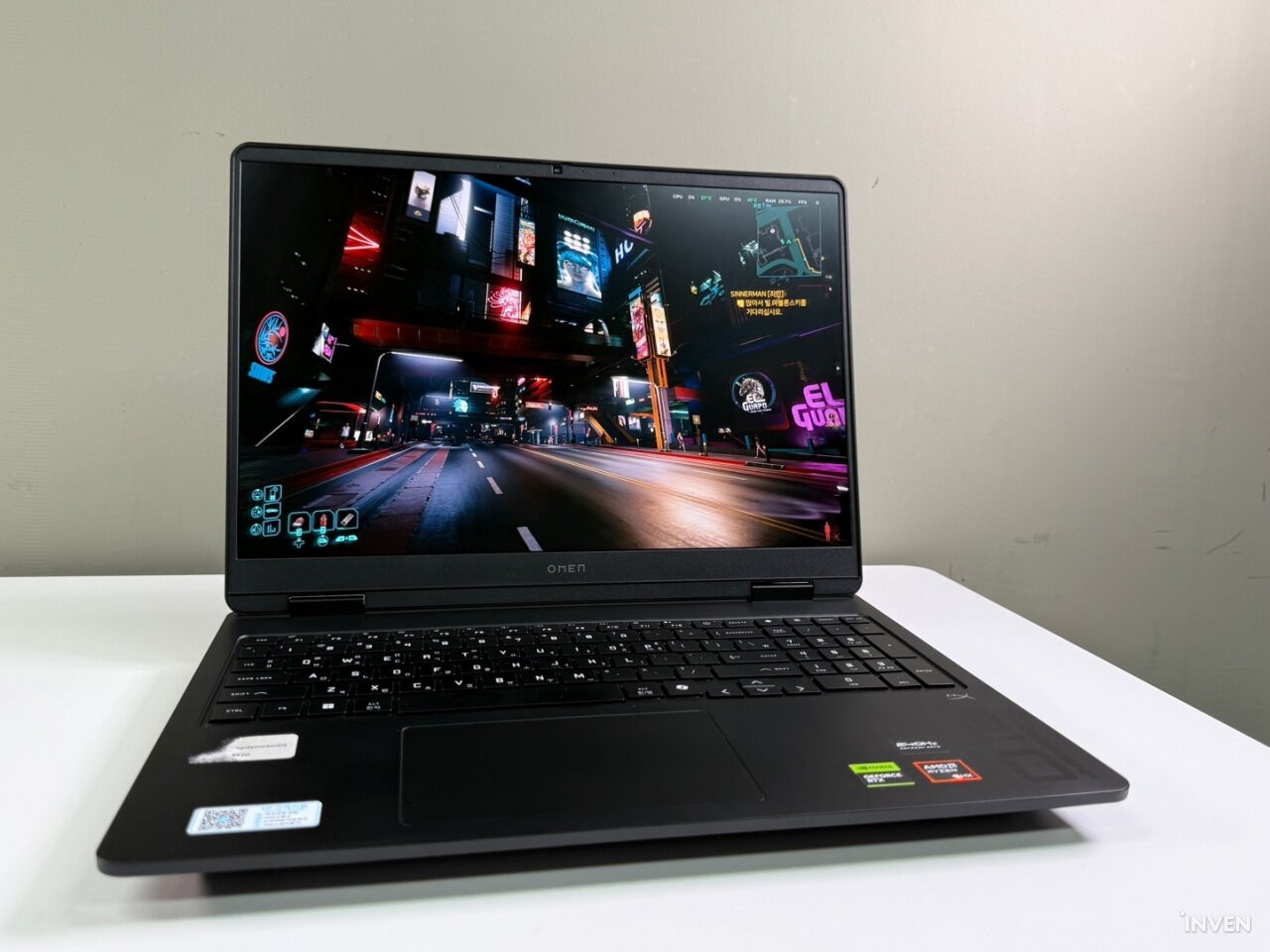
As the name implies, the OMEN 16 is slightly more compact than the 17.3-inch OMEN 17. However, once you turn on the screen and start using it, it doesn't feel significantly smaller.
Unlike the OMEN 17, which used a 16:9 panel with a 2560×1440 resolution, the OMEN 16 adopts a 16:10 panel with a 2560×1600 resolution. Although the diagonal screen length is shorter, vertical real estate actually increases, offering plenty of visible information when browsing webpages, viewing documents, or working in editing software. The advantages are equally clear in gaming. Supporting up to a 240Hz refresh rate, it delivers smooth visuals in competitive games where high frame rates matter, while the WQXGA resolution paired with the RTX 5070 Laptop GPU is ideal for enjoying the graphics of modern titles.
The most welcome change of all is the brightness. One of the biggest drawbacks of the previous OMEN 17 was its display, which topped out at just 300 nits. While that was fine for gaming in a dimmed room, the screen felt washed out and hard to read during daylight when sunlight streamed in.
The OMEN 16 reaches a maximum brightness of 500 nits. In practice, viewing the screen in a sunlit living room posed no real discomfort, and the real-world difference in brightness compared to its predecessor was substantial. This makes the panel itself feel a step above in satisfaction. HP also markets this display as a 16:10 WQXGA panel supporting 240Hz, 3ms response time, 500 nits, and 100% sRGB coverage.
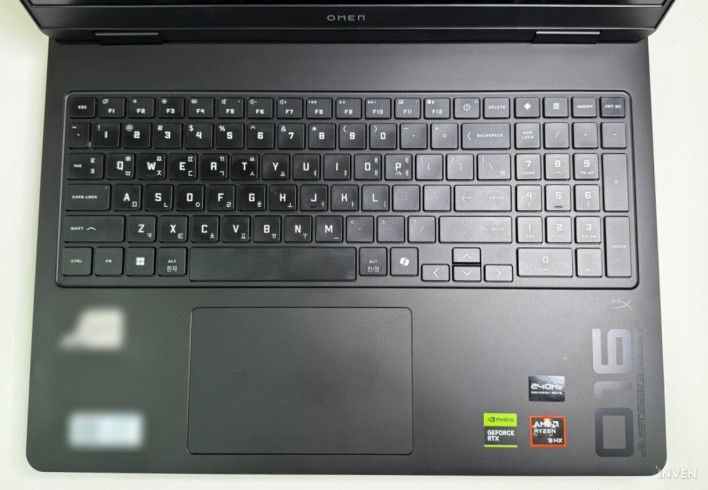
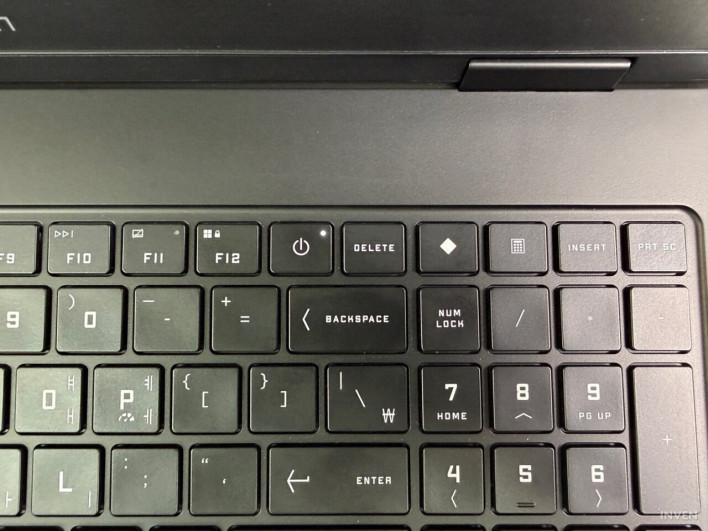
Another key feature is the full-sized keyboard complete with a numeric keypad packed into a 16-inch chassis. In games like MMORPGs that require numerous hotkeys, the numpad serves as additional input bindings, and it's equally handy for heavy data entry or Excel work. According to official HP product specifications, this full-size keyboard with numpad features 26-key rollover anti-ghosting technology and supports 4-zone RGB backlighting depending on the configuration.
Personally, I quite liked the typing feel. Rather than feeling overly light or mushy when pressed, the keys offer a satisfying rebound—a tactile, springy feel. I actually typed a significant portion of this review draft on the OMEN 16's keyboard and felt little fatigue even after long typing sessions.
The placement of the power button also differs from the OMEN 17. On the OMEN 17, a small power button sat at the top right edge of the keyboard, close to the Print Screen key, leading to occasional accidental presses while taking screenshots for reviews. On the OMEN 16, the power button was moved to the right of F12 and to the left of the numeric keypad, making unintentional presses much harder. However, with the Delete key placed right next to it, getting used to the layout takes a little time initially.
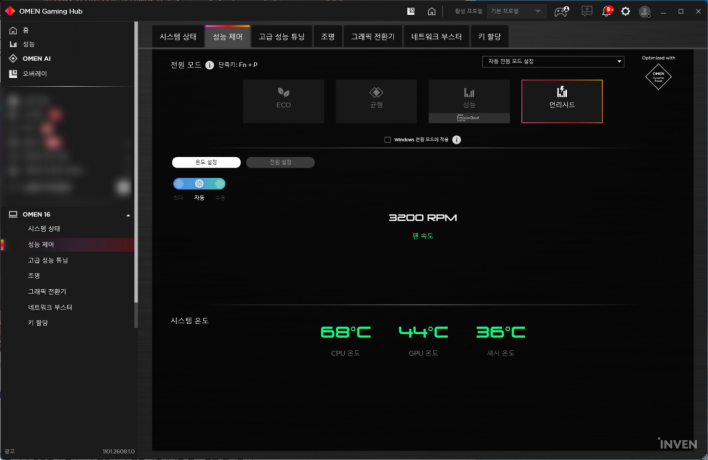
Quiet operation when not running games was also impressive. When fan speeds were measured around 2,100 RPM in OMEN Gaming Hub, the fan noise was barely noticeable. For light tasks like word processing or web browsing, you could easily forget you're using a high-performance gaming laptop.
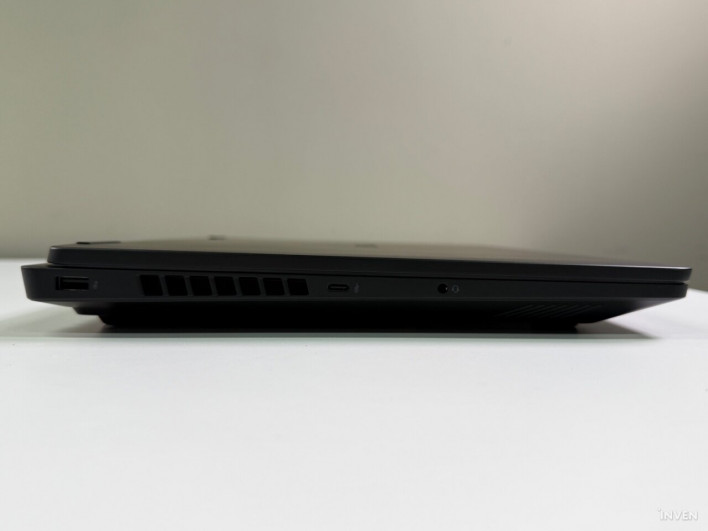
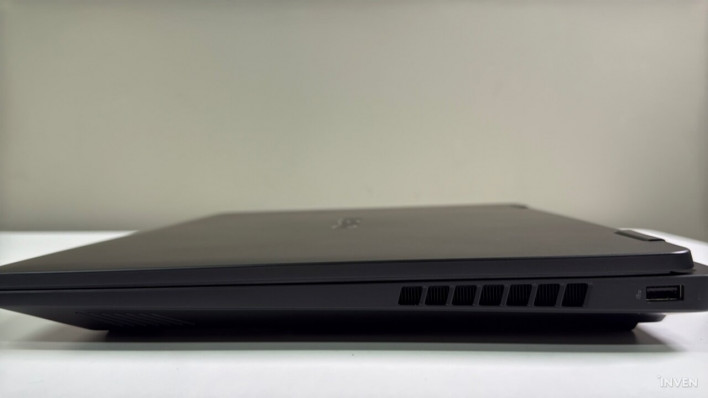
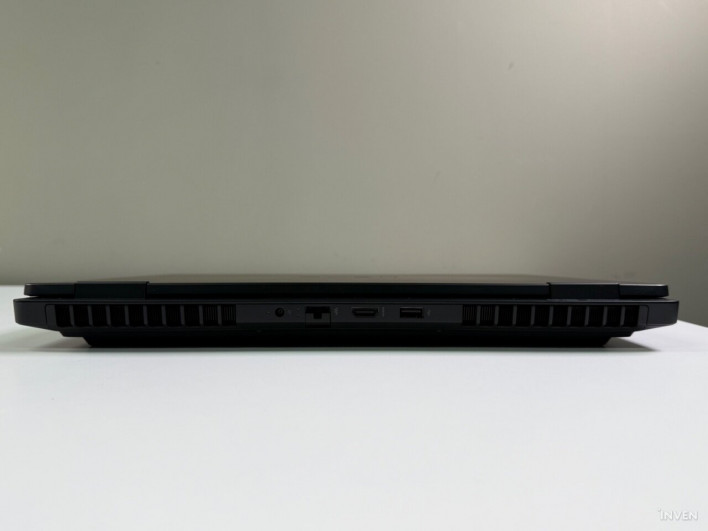
Port selection might feel slightly underwhelming depending on your intended use. Basic ports required for gaming—USB-A, HDMI, and wired LAN—are all present, so standard gaming setups face no real inconvenience. However, it lacks USB4, Thunderbolt, and an SD card reader. For users looking to leverage the Ryzen 9 8940HX's strong multi-core performance for video editing or content creation, where high-speed external SSDs, docking stations, or camera SD cards are frequently used, this omission is unfortunate. If you focus strictly on gaming, it isn't an issue, but if you plan to use it as a dual-purpose productivity laptop powered by a heavy-duty CPU, checking its connectivity options beforehand is recommended.
OMEN Gaming Hub and Four Performance Modes
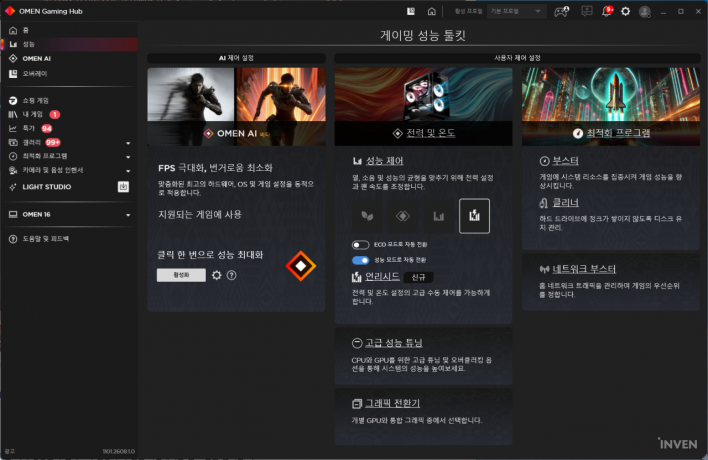
As with other OMEN laptops, key system settings are managed through the dedicated software, OMEN Gaming Hub. It consolidates functions commonly used on a gaming laptop into a single interface—ranging from system monitoring for CPU and GPU status to performance control, graphics modes, fan control, and lighting settings.
In particular, the OMEN 16 offers four performance control modes to suit different tasks: ECO, Balanced, Performance, and Unleashed.
ECO mode focuses on lowering system power consumption, heat, and fan noise. It is ideal for tasks that don't require a high-performance GPU, such as document editing, web browsing, or watching videos. Balanced mode, as the name suggests, strikes a balance between everyday productivity and performance.
When high performance is needed for gaming or content creation, Performance mode can be selected. On the AMD platform, it leverages Precision Boost Overdrive (PBO) to automatically manage CPU clock speeds and voltage based on workload, power limits, and thermal headroom. HP explains that OMEN Gaming Hub utilizes AMD Ryzen Master SDK settings to let users control PBO more simply.
At the top tier is "Unleashed." This mode pushes peak performance by more aggressively adjusting power limits for the CPU and GPU. HP describes Unleashed mode as a feature allowing direct power limit tuning for both processors, designed in the OMEN 16 lineup to let users adjust performance right from Gaming Hub without entering the BIOS. All gaming performance benchmarks conducted for this review were run under Unleashed mode.
GPU operation modes can also be selected. The default setting is Hybrid mode, which toggles between integrated graphics and the RTX 5070 based on the scenario. It uses low-power integrated graphics when not gaming and switches to the discrete GPU when high graphical performance is demanded.
If you want to maximize battery life, you can set it to integrated graphics only. Conversely, when plugged into the power adapter and seeking maximum performance, you can select "Discrete" mode to prioritize the RTX 5070 Laptop GPU.
Performance Delivered by the Ryzen 9 8940HX + RTX 5070 Combination
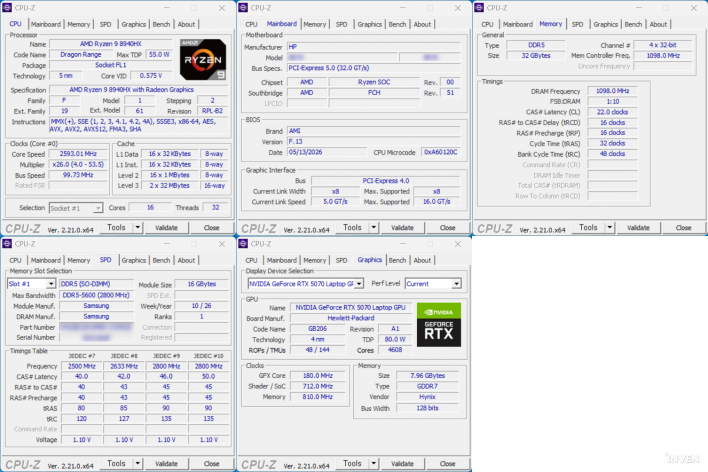
The CPU of the HP OMEN 16 AP0116AX is the AMD Ryzen 9 8940HX. It is a Zen 4-based 16-core, 32-thread processor supporting boost clock speeds up to 5.3GHz. This is paired with an RTX 5070 Laptop GPU, 32GB of memory, and a 1TB NVMe SSD. Based on domestic retail specifications, the chassis weighs approximately 2.44 kg and houses a 70Wh battery.
While the Ryzen AI 7 350 in the previous OMEN 17 was a configuration geared toward AI capabilities and power efficiency, this Ryzen 9 8940HX places greater emphasis on pure computing horsepower, as evidenced by its 16-core, 32-thread spec.
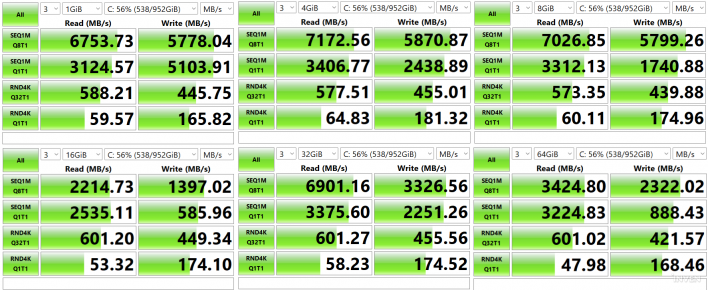
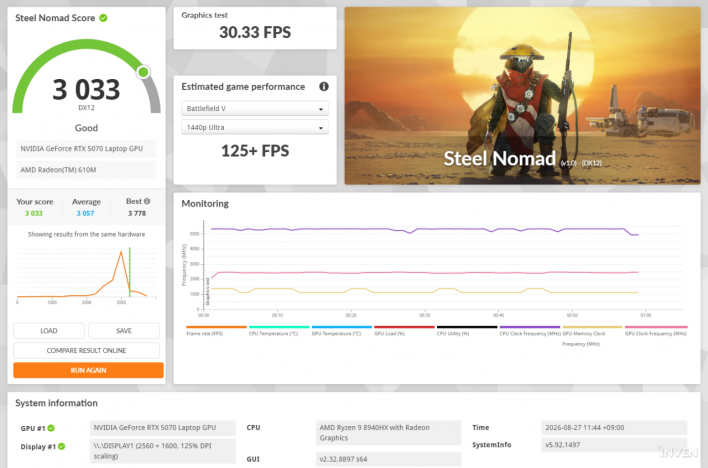
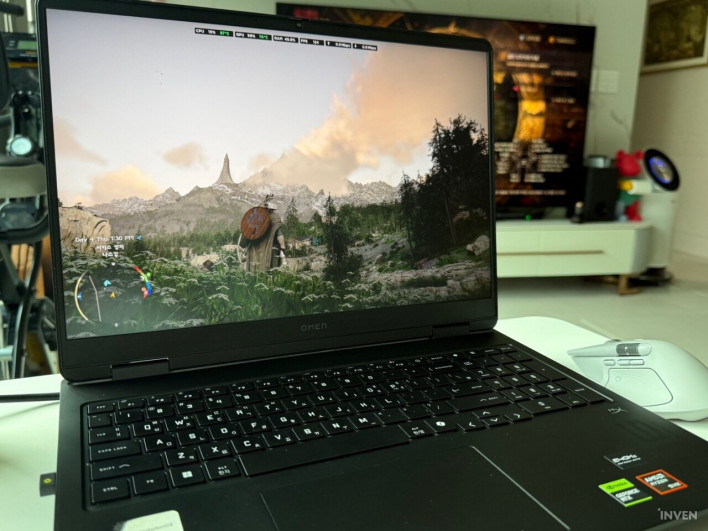
Just as important as synthetic benchmark scores is real-world gaming performance. Tests were primarily conducted using OMEN Gaming Hub's Unleashed mode and Discrete GPU mode at the laptop's native resolution of 2560×1600.
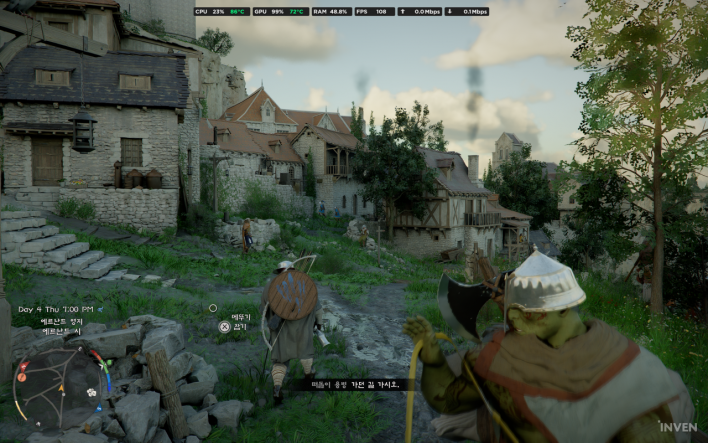
First, I played Crimson Desert. With DLSS 4.5 applied and ray tracing enabled at 2560×1600 resolution, it maintained an average of around 100 fps. Even during intense battles featuring multiple enemies on screen simultaneously, noticeable frame drops were virtually nonexistent.
Crimson Desert was also a useful title for evaluating the RTX 5070's performance on the OMEN 17. On the OMEN 16 as well, it was impressive to see high graphical settings and high frame rates delivered together, even at the relatively demanding WQXGA resolution.
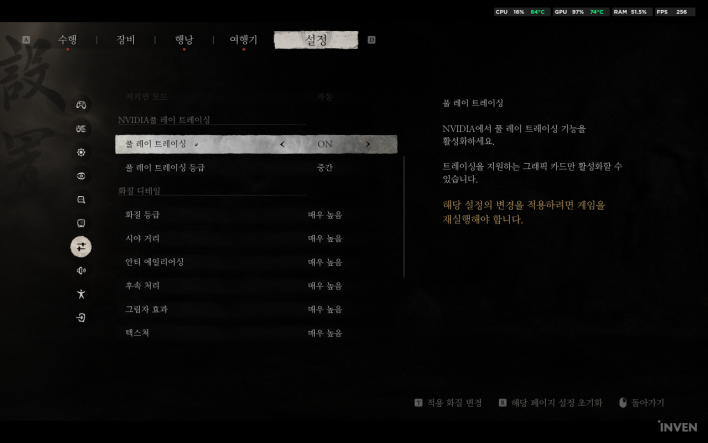
For Black Myth: Wukong, full ray tracing was enabled with graphics quality options set to "Very High." While performance varied depending on the area, frame rates generally hovered between 80 and 100 fps, offering a smooth gameplay experience throughout combat.
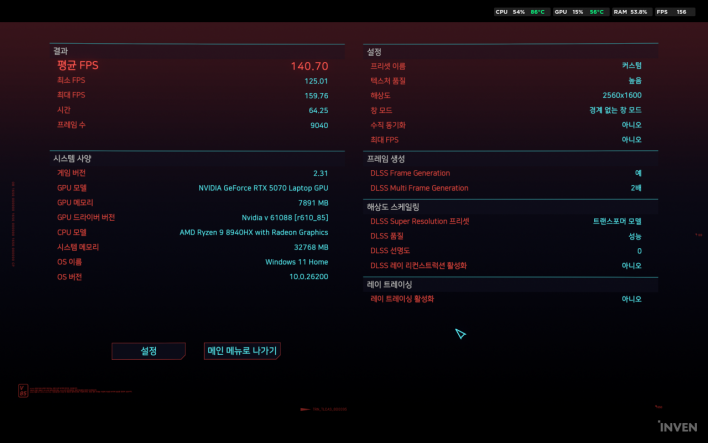
Cyberpunk 2077 yielded slightly different results. With ray tracing enabled, normal traversal hovered around 80 fps, but during heavier loads like downtown combat encounters, performance dipped to the 50–60 fps range.
Conversely, turning off ray tracing maintained 80–100 fps across most scenarios. While fine-tuning settings may be necessary depending on your priority for visual fidelity versus ray tracing, playing modern AAA titles at high settings in WQXGA presented no major hurdle.
Finally, I tested inZOI. inZOI supports an auto-preset feature that analyzes system hardware before adjusting graphic and simulation settings. Running auto-detect on the OMEN 16 set simulation parameters like street population density to "Medium" and overall graphic quality to "High."
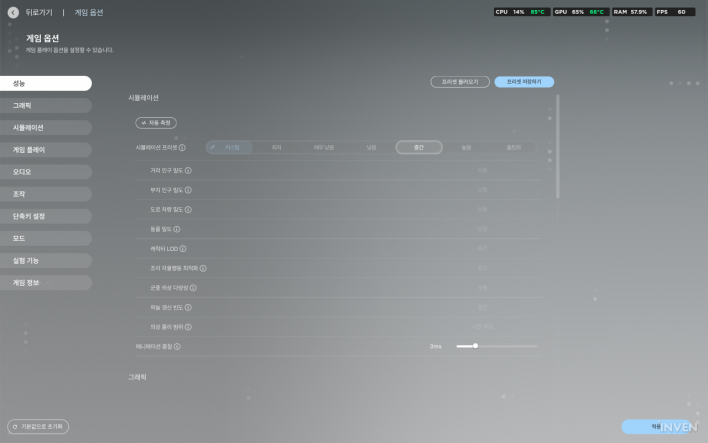
During actual gameplay, momentary frame stutters occurred while loading new environmental objects, but outdoor areas consistently maintained high frame rates ranging from 150 fps to upper 160s.
Ultimately, all four games delivered thoroughly satisfying gaming performance at WQXGA resolution. While tweaking ray tracing and detail settings to match each game is preferable to blindly maxing out every slider, leveraging the RTX 5070 Laptop GPU alongside DLSS ensures modern games look and run great without feeling underpowered.
However, the RTX 5070 Laptop GPU comes equipped with 8GB of VRAM. While tests at WQXGA resolution and high graphics settings didn't hit a wall, an increasing number of recent titles make heavy use of high-res textures and ray tracing. For a machine housing a 2560×1600 panel designed to run games at high settings, a more generous VRAM capacity would have been welcome. Rather than immediate performance bottlenecks, this is more of a long-term consideration for maintaining high settings over the next few years.
'Tempest Cooling', Fan Noise, and Battery Life
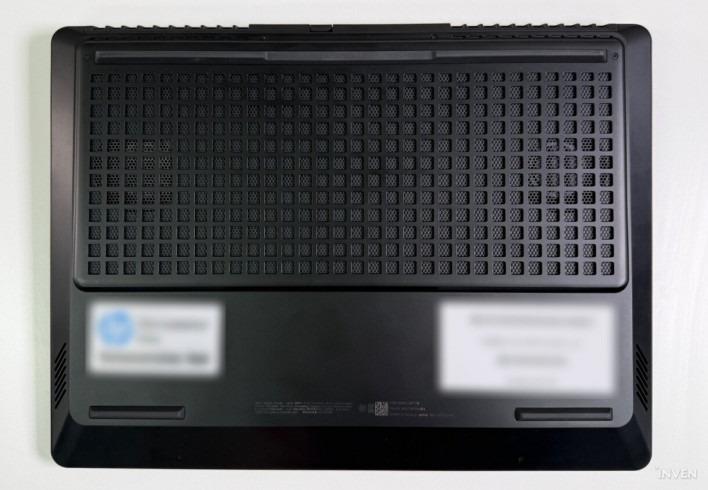
On a high-performance gaming laptop, thermal cooling is as crucial as raw performance. Because the OMEN 16 has a smaller chassis than the OMEN 17 reviewed previously, how reliably it could cool the same RTX 5070 was a key point of interest.
HP refined the OMEN Tempest Cooling architecture for the 2025 OMEN 16. According to official disclosures, fan spacing was widened by 30%, and additional heat pipes were placed over the CPU and GPU. HP states that this increases airflow by 1.5x over the previous generation, reduces keyboard surface temperature by up to 9°C, and significantly shrinks high-temperature hotspot zones.
In actual testing, thermal suppression felt remarkably effective. Running multiple games and repeated 3DMark loops left the palm rest only mildly lukewarm, and the keyboard surface never grew uncomfortably hot to touch during extended gaming sessions. In terms of keyboard surface heat management—a key point emphasized by HP—the machine left a distinctly positive impression.
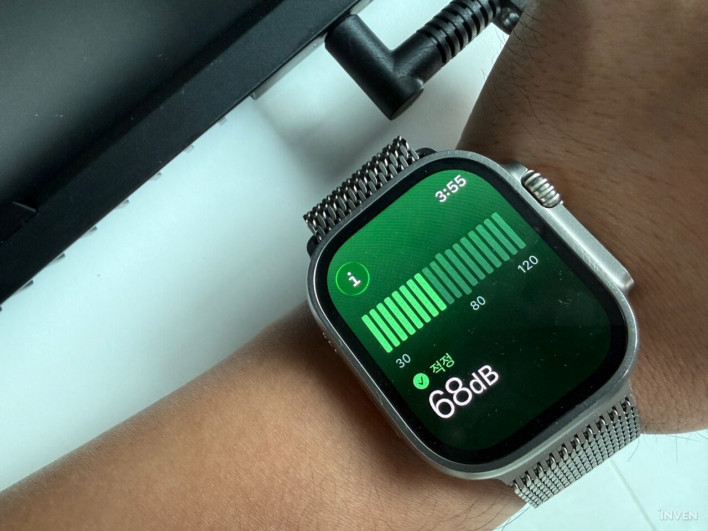
On the other hand, fan noise felt noticeably louder than on the OMEN 17. During my review of the OMEN 17, sound levels recorded via Apple Watch Ultra's noise measurement feature after about 2 hours of playing Crimson Desert measured around 60 dB. Under identical conditions, the OMEN 16 reached peaks of approximately 68–70 dB.
Naturally, an Apple Watch is not a professional sound level meter, and these numbers are not intended to verify absolute decibel levels. They should be viewed merely as relative reference points for comparing the two laptops under similar conditions in the same location.
Battery life clearly reflects the laptop's identity. The OMEN 16 AP0116AX packs a 70Wh battery, but paired with a performance-first HX-series processor like the Ryzen 9 8940HX, it isn't designed for long unplugged battery life.
Plugging in the power adapter is virtually mandatory when running in Discrete GPU and Unleashed modes. Because those settings aggressively feed power to the CPU and GPU for maximum output, reliance on battery power alone is impractical.
In fact, drafting this review with the power cord unplugged drained the battery from 85% to 44% in about an hour. Given background apps and settings variables, this shouldn't be taken as an absolute battery benchmark for the OMEN 16, but it confirms that battery depletion is rapid under high-performance presets.
Therefore, when working on documents or browsing the web on the move, switching to Hybrid graphics and ECO mode is far more practical than forcing Discrete GPU and Unleashed modes. Conversely, when gaming, HP strongly recommends connecting the included power adapter. Official product documentation notes that using the bundled adapter is essential to optimize performance and battery charging during gaming or rendering workloads.
Desktop Replacement with Portability When Needed
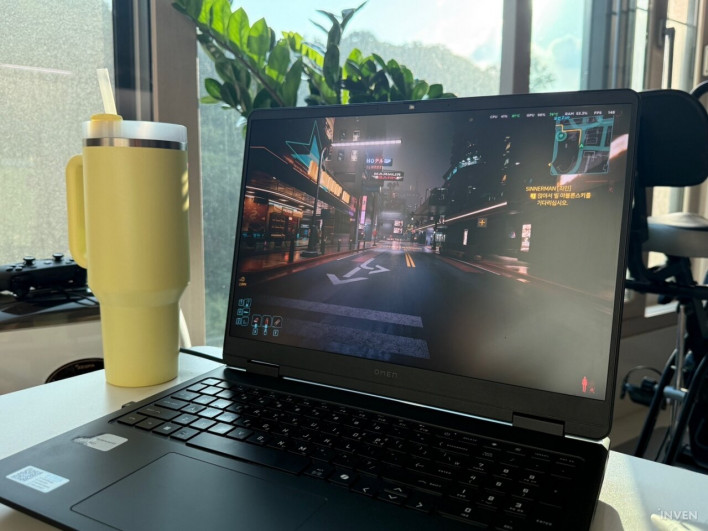
The HP OMEN 16 (AP0116AX)'s pairing of the Ryzen 9 8940HX and RTX 5070 Laptop GPU delivers more than enough firepower for enjoying modern titles at high settings at WQXGA. Its 32GB of RAM and 1TB SSD are also well suited for current gaming demands. In particular, bumping storage from the OMEN 17's modest 512GB up to 1TB made a noticeable real-world difference while installing and benchmarking multiple games.
Display upgrades are equally satisfying. Though downsized from 17.3 to 16 inches, the 16:10 aspect ratio and 2560×1600 resolution keep the screen from feeling cramped. Crucially, bumping peak brightness to 500 nits effectively eliminates one of the biggest weaknesses of the OMEN 17.
Cooling performance deserves praise as well. Even during extended gaming sessions on maximum performance settings, uncomfortable heat on the palm rest and keyboard was nonexistent. The trade-off for sustaining high performance in a smaller chassis is fan noise that is slightly louder than on the OMEN 17. It may not be suitable for gaming in noise-sensitive environments.
Battery life follows the same logic. It isn't a laptop built for extended unplugged sessions with Unleashed mode and Discrete GPU enabled. Users should adapt settings depending on use case—leveraging ECO and Hybrid graphics while on the move, and plugging into the power adapter when sitting down for serious gaming.
Nevertheless, the overall balance achieved by the OMEN 16 is quite convincing. Where the OMEN 17 largely sacrificed portability for performance, the OMEN 16 retains almost all that gaming power while trimming down to a form factor you can actually carry when needed.
Granted, it isn't light enough to recommend to someone commuting daily with a laptop in their bag. But for users short on desktop desk space who occasionally need to move their rig elsewhere without sacrificing high graphics settings in modern games, it tells a very different story.
Refining the OMEN 17's "desktop replacement" philosophy into a far more practical size—that is precisely what the OMEN 16 AP0116AX delivers.