


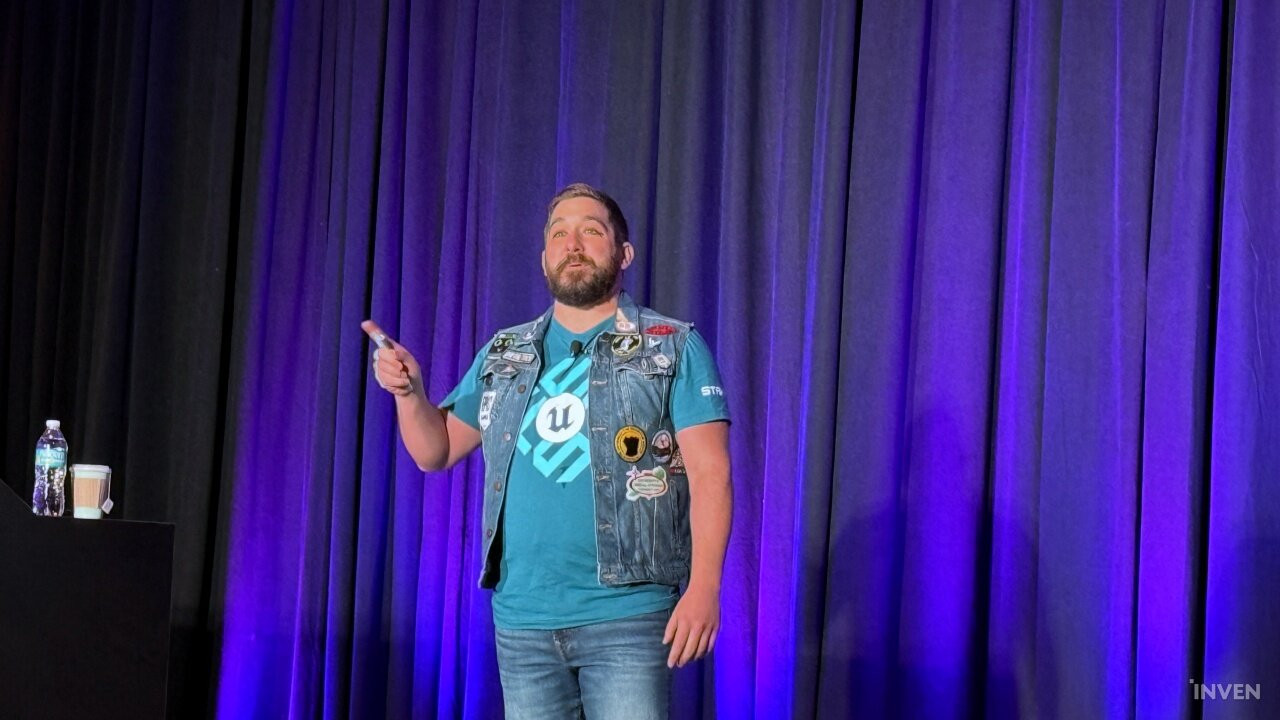
Achieving a stable 60 FPS with high-quality graphics is both the ambition and the greatest challenge for any developer. In practice, optimization issues inevitably arise due to diverse hardware environments and internal game complexities. Matt Oztalay, Senior Technical Artist at Epic Games, has spent countless hours listening to these concerns from studios using Unreal Engine and developing solutions. He identified several points that developers often overlook or should address from the start, which he shared during his session at Unreal Fest 2026 Chicago.
Start from 'Day Zero': Before Placing a Single Object
Many developers typically begin thinking about optimization only after a project is well underway. However, Oztalay emphasized that a 60 FPS environment must be established from 'Day Zero,' before any objects are placed. Building a solid foundation makes it much easier to achieve and maintain 60 FPS throughout development.
Oztalay outlined the following key points to check at this stage.
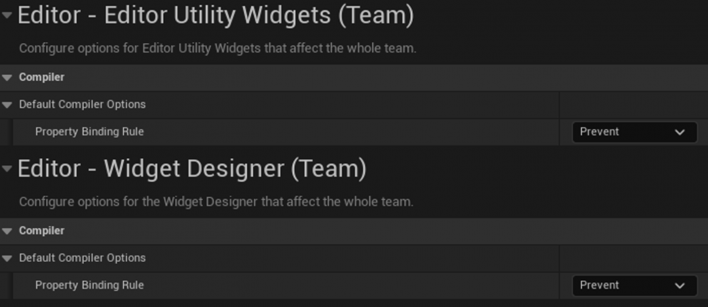
■ Modify Default Project Settings: UMG Bindings execute every frame, which degrades performance. He recommended setting the property binding rule to 'Prevent' in project settings and using the more powerful and flexible 'UMG Viewmodel' instead.
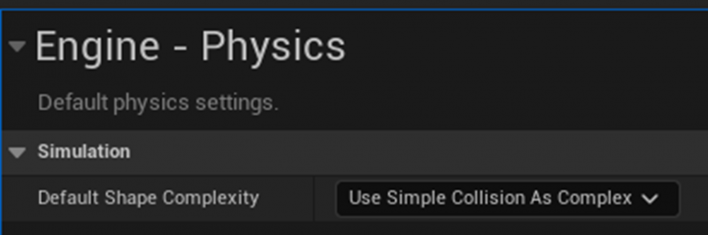
■ Minimize Collision Complexity: The default shape complexity should be locked to 'Use Simple Collision As Complex.' Without this, high-resolution meshes with millions of triangles—such as those used with Nanite—could be fed directly into complex collision calculations, incurring massive CPU costs. Collision should be an 'opt-in' structure rather than an 'opt-out' one to prevent unnecessary resource waste.
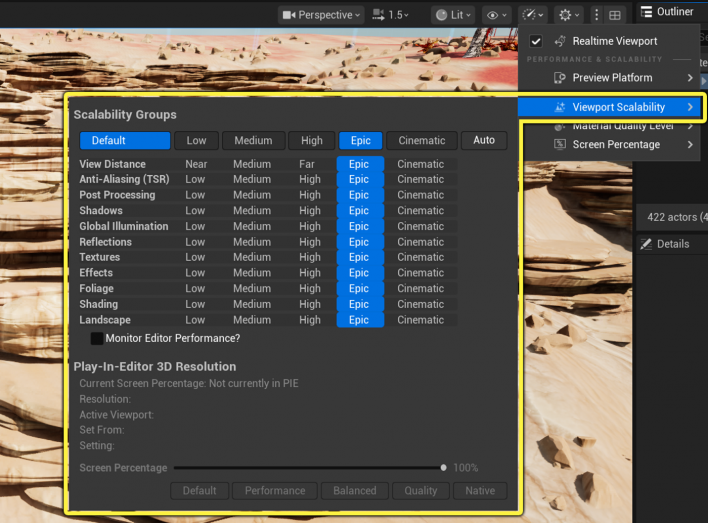
■ Lock Editor Defaults and Device Profiles: Unreal Engine defaults to the 'Epic' scalability setting, which is a 30 Hz quality mode. To ensure developers are always working toward a 60 FPS performance target, the scalability group should be locked to 'High' (level 2). Additionally, platform-specific device profile hierarchies should be set up from day one to apply consistent Console Variables (CVars).
■ Enable Essential Plugins: To enforce development standards, the 'Data Validation' and 'Asset Referencing Restrictions' plugins should be enabled by default, ensuring that assets meet optimization specifications from the moment they are created.
The Alpha and Omega of 60 FPS: 'Secondary Upscaling'
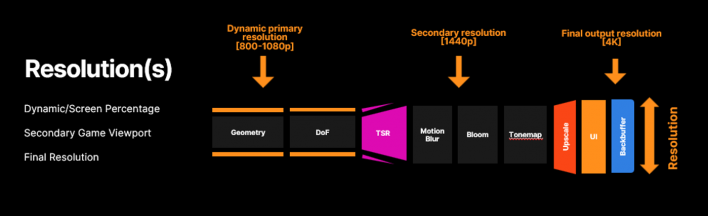
Oztalay identified the most important rendering formula for a 60 FPS environment as "rendering fewer, but higher-quality pixels." The recommended pipeline for achieving 60 FPS in Unreal Engine 5 is 'Secondary Upscaling.'
This method focuses on rendering resolution-dependent features at a smaller dynamic primary resolution (between 800p and 1080p), then uses Temporal Super Resolution (TSR) to upscale to a secondary resolution of 1440p before post-processing. Finally, it performs spatial upscaling to the target 4K output resolution while rendering the UI at the full frame size. This setting must be strictly controlled at the device profile level using commands like r.SecondaryScreenPercentage.
Strategies for a Vibrant, Well-Optimized World
Oztalay also shared tips to help developers tackle the challenges of large-scale open world projects. The key to building such worlds is representing a vast environment while reducing the number of active actors and component instances; he introduced several strategies to achieve this.
■ Replace Landscape Grass: Instead of using Landscape Grass, which increases CPU costs, developers should utilize partitioned, hierarchically generated 'GPU-only Instances' to eliminate computational overhead.
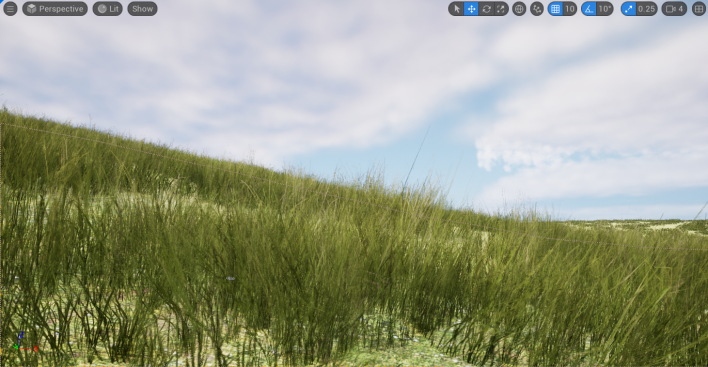
■ Utilize Runtime Cell Transformers and FastGOL: He recommended adopting 'Runtime Cell Transformers,' which convert data in World Partition streaming cells into the most efficient format at runtime, and 'FastGOL (Fast Game Object Loading),' which was refined to beta status in version 5.8. This technology streams static actors in a format other than actors and components to save on spawning time.
■ Proper Use of HLOD: HLOD is essential for Far Field calculations in Hardware Ray Tracing (HWRT) Lumen. When using the 'Approximate Mesh' method, the 'Use Render LOD Meshes' checkbox must be enabled to prevent the system from running out of RAM during builds.
Streaming Grid Settings and Methods are Crucial
As open worlds and large-scale environments have become a hot topic, the 'Streaming Grid'—a feature for effectively handling these in Unreal Engine—is gaining attention. It is a system that automatically divides and manages space into grids and is a core technology used in Unreal Engine 5's World Partition. Oztalay shared tips regarding this as well.
■ Mass System and Instanced Actors: When tens of thousands of objects are active in a world, running individual actor ticks is nearly impossible. He recommended using Mass assets, which maximize computational efficiency through a Struct of Arrays (SoA) approach. He specifically highlighted the 'Instanced Actors' plugin, which allows objects to function as actors when gameplay-critical and revert to Instanced Static Meshes when their importance is low.
■ Tickless State Tree: Starting with version 5.8, State Tree has evolved into a 'tickless' structure that does not run every frame. Developers should apply asynchronous or event-driven patterns so the tree is evaluated only when a state change is required, and native-ize it to C++ after prototyping to boost performance.
■ Niagara Systems as a Service (SaaS): Instead of placing numerous individual Niagara system actors in the world, maintain a single system and spawn particles via 'Niagara Data Channels' to control systems that would otherwise tick every frame.
Tips for Sophisticated Use of Nanite, Lumen, and Substrate
Oztalay then discussed Nanite, Lumen, and Substrate—three features favored by many developers since the Unreal Engine 5 generation. While these features produce stunning results, he emphasized that they require precise rules due to their high performance cost.
■ Nanite Mesh LOD Settings: Even though Nanite is based on virtualized geometry, developers must explicitly set the number of fallback LODs for Nanite assets. This ensures much more efficient operation during ray tracing proxy and complex collision processing.
■ Lumen and Megalights: In Lumen reflection environments, the r.RoughnessToTrace threshold must be adjusted based on the project material's roughness distribution. If the default (0.4) is higher than the project average, an unnecessarily large number of pixels will perform individual ray tracing, incurring a massive cost.
In this regard, Oztalay recommended using Megalights, which reached production-ready status in 5.8, while warning developers to be mindful of how instance overlaps affect ray generation performance.
■ Lock Substrate Topology: 'Substrate,' which replaces the traditional fixed shading model and allows for the free blending of physically based material layers, produces incredible results. However, since Substrate slabs are not material layers, indiscriminate blending inevitably leads to wasted shader calculations. Technical artists should build fixed, single-slab-based topology materials, which general artists can then instance to prevent shader overhead..
Maintaining 60 FPS Requires a System to Monitor the Entire Development Process
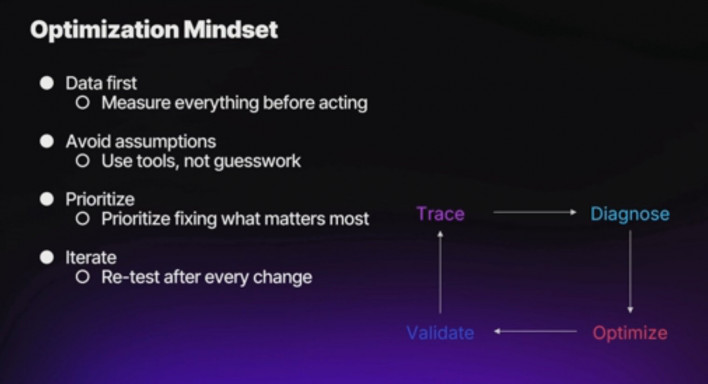
Finally, he emphasized the need to monitor the entire development process to maintain a consistent 60 FPS. In Unreal Engine 5.8, he introduced 'World Streaming Insights,' a feature that overlays world streaming performance as a heatmap directly within Unreal Insights, helping to intuitively identify streaming bottlenecks. He also recommended the new complexity view in the Chaos Visual Debugger for visually tracking collision calculation overloads.
Additionally, he recommended the new Trend Dashboard added to 'Horde,' Epic Games' automated testing infrastructure. Since automated performance test results from nightly BuildGraph and UAT runs are automatically reported to the dashboard, developers can monitor frame drops and performance degradation trends at a glance.
Before concluding his lecture, Oztalay encouraged developers by saying, "You must remain vigilant about your performance budget throughout the entire project lifecycle. With a systematic start and the right tools, anyone can build a high-quality, 60 FPS game." The list of Unreal Engine technologies related to this lecture can be found on Oztalay's Linktree.
![]()
- Seoho "Ruudi" Yoon
- Email : ruudi@inven.co.kr



Sort by:
Comments :0