It has already been eight years since FC Online (FCO) launched! There is a common perception that older online games have a high barrier to entry, but FCO is not as difficult as you might think. Follow along step-by-step, and you will be a Challenger before you know it!
The first class in our beginner's guide covers everything from basic setup to league matches. Let's get started without any pressure!

STEP 1: Create Your Club and Representative Team
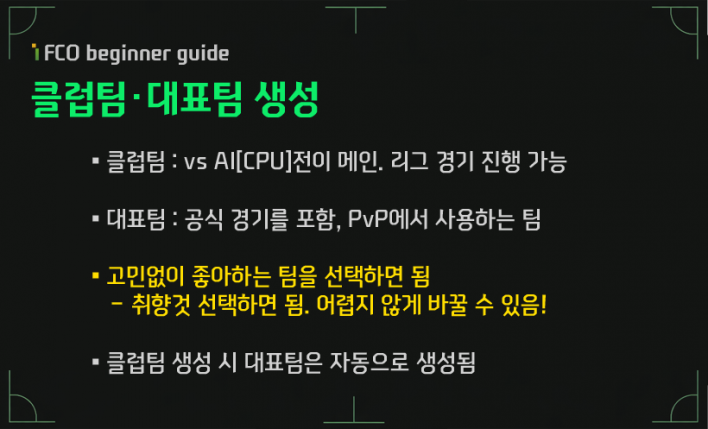
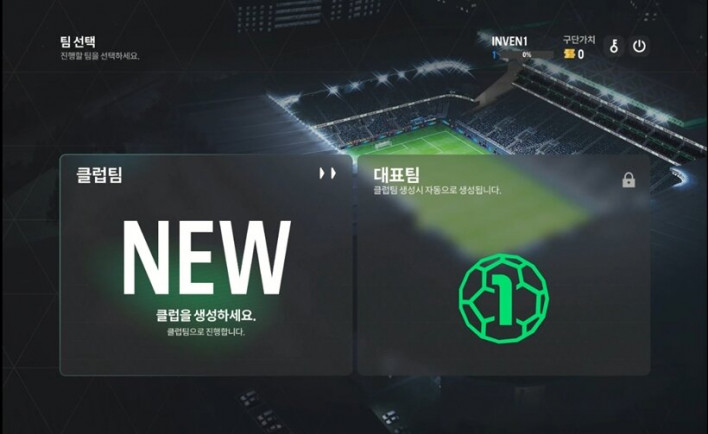
Once you log in to FCO for the first time and choose your manager name, you need to create a team. Now that you are a manager, you must select the team you will operate. The first thing to decide is your Club Team. The Club Team is used in League Mode, which focuses on matches against AI. The Club Team you create here will also be reflected in your Representative Team, which includes official matches.
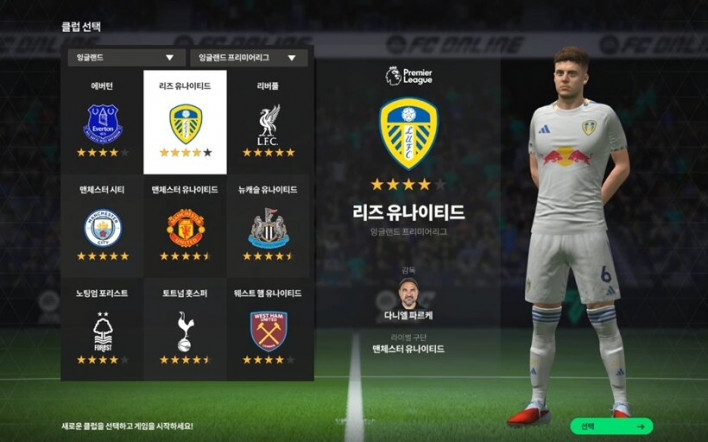
Feel free to choose any Club Team you like. The player and coach lineups you acquire here are not strong enough to last long, so you will replace them quickly after playing for a bit. Therefore, it is perfectly fine to choose based on your favorite team, the league you want to play in, or the uniform you like best.
Changing your Club Team is easy. You can change it after completing a full season in League Mode, or you can use FC (in-game currency) to swap it out.
STEP 2: Claim 8th Anniversary Rewards and Recruit Players
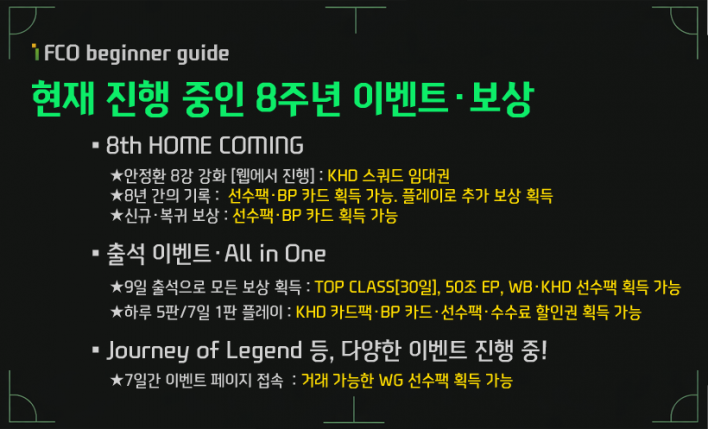
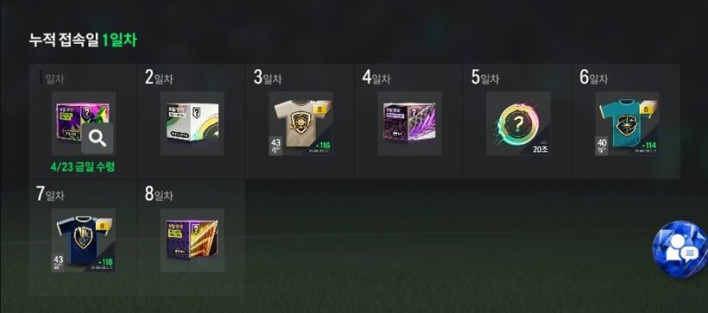
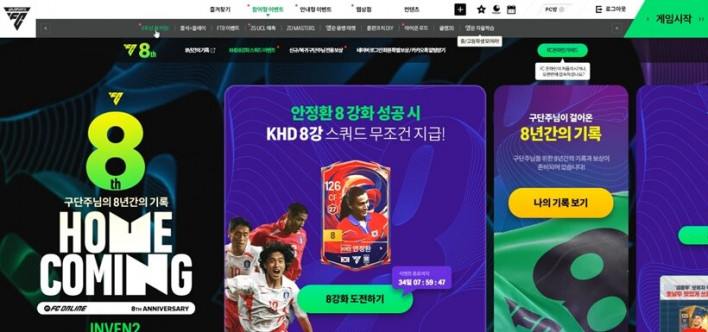
FCO is currently in the middle of its 8th-anniversary event. As befits an 8th birthday, there are plenty of generous rewards prepared. It is a great season to start or return to the game, and an ideal time to boost the value of your squad.
While various events are running simultaneously, the key is logging in and playing. You can meet most event requirements by logging in daily and playing at least five matches. You can earn quite a lot of BP, so be sure to check and claim your rewards.
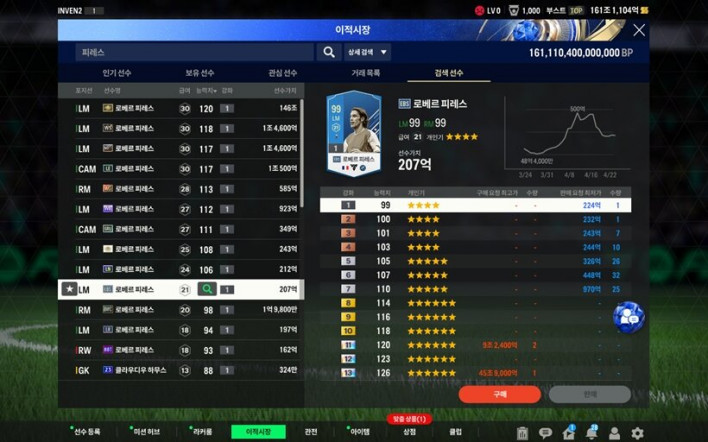
The BP you earn can be used in the Transfer Market. If you are a new user, it might be hard to decide which players to buy, so it is a good idea to start by purchasing affordable players in the 10-20 billion BP range to build your squad. Since the point is to eventually acquire high-quality core players, avoid overspending at this stage. We will make sure to teach you how to identify good players later.
▶ [Related Article] All-in-One for New/Returning Players! 'FC Online' 8th Anniversary Event Summary

STEP 3: One-Click Formation and Tactics Setup
#.1. Register recruited players to your roster
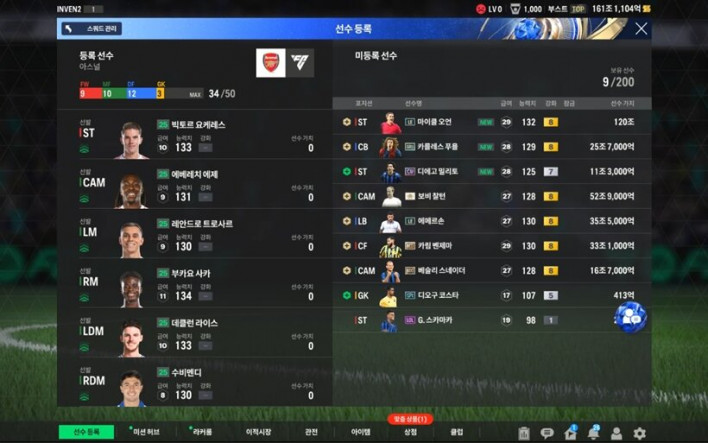
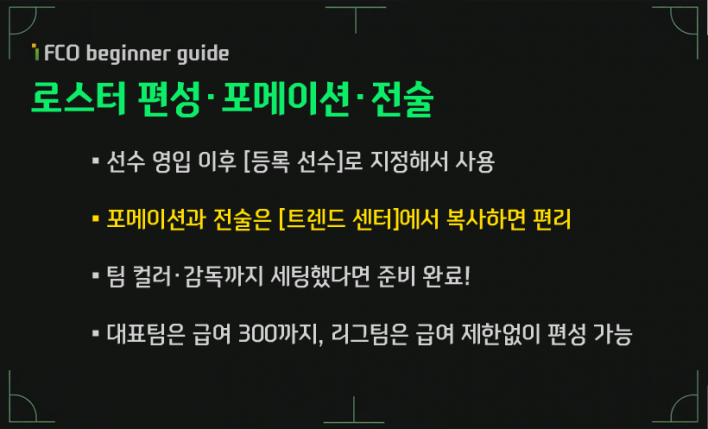
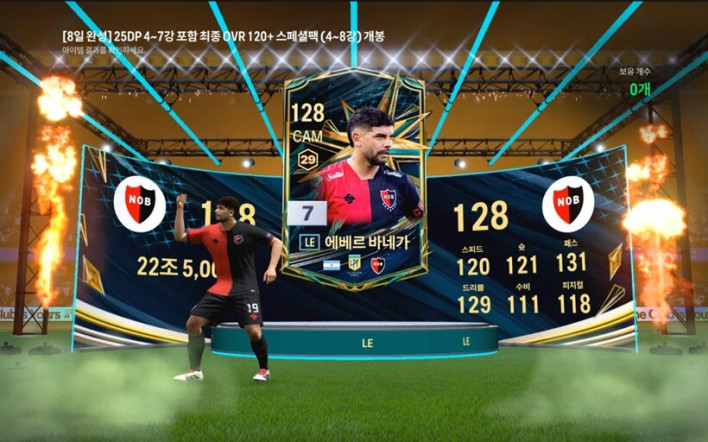
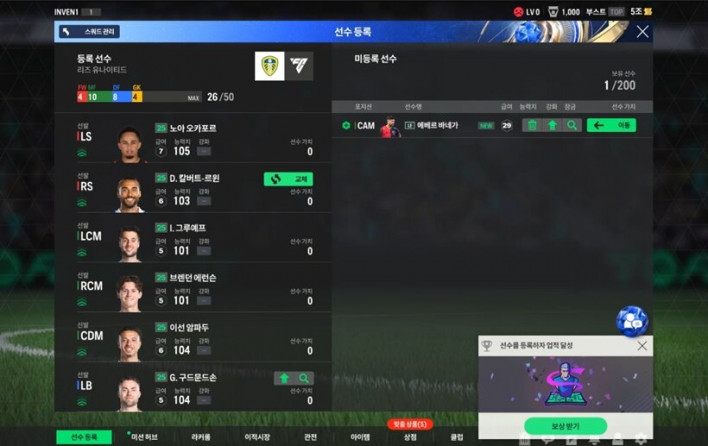
Players recruited through rewards or the Transfer Market can be added to your roster via [Player Registration]. You can swap or move [Unregistered Players] to [Registered Players]. Designating a player as a [Registered Player] increases all their stats by 4. Recruited players also need individual tactics set and upgrades, but we will look into those complex details later.
One thing to consider is [Salary]. Think of salary as the 'cost' concept in other games. Generally, players with higher stats have higher salary requirements. Your Representative Team must be built within a [300 Salary] cap, including 11 starters and 7 substitutes. There are ways to use salary efficiently, but that is a headache for another time.
Oh, and salary applies to the PvP [Representative Team] mode. It does not apply to the PvE [Club Team] mode we are playing today, so you can relax about it for now.
#.2. Formation and tactics settings
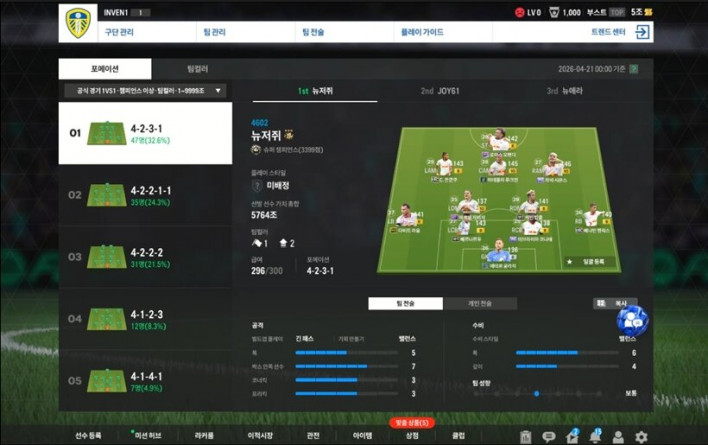
Once you have your best available players on the roster, the next step is setting your formation and team tactics. Tactics play a significant role in FCO, but they require a lot of prior knowledge and know-how.
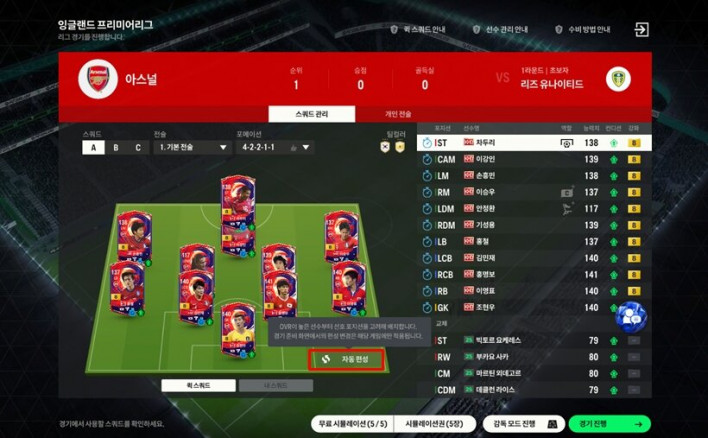
While it might be tempting to set up detailed tactics right away, you don't need to go that far since you're just starting out. FCO has a feature that lets you apply the tactics used by top-ranked players to your own team. Since these are tactics used by the very best, they are highly refined. You can copy these tactics by going to [Play Guide] - [Trend Center]. It's as easy as a single click!
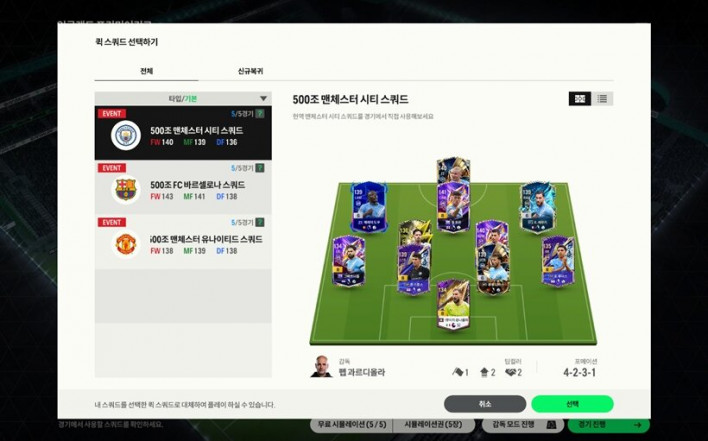
Player selection also requires experience and know-how. Depending on which position a player is in, their actual stats and performance can vary significantly. We will look at detailed settings later; for now, I recommend using the [Auto-Assign] feature. Since various loan players and squads are currently being provided through events, using [Quick Squad] is also a good idea if you want a powerful team.
#.3. Team Color and Manager
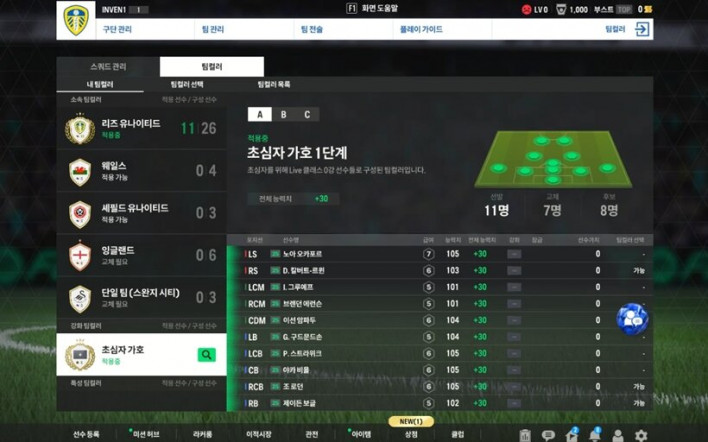
I recommended using automatic features as much as possible to help you adapt quickly, but there are limits to automation. A little extra attention can significantly boost your team's quality. Team Colors and Managers are two such areas. Beyond their practical performance, they are also a matter of sentiment for football fans, so it is worth setting them up.
Team Color is a system where you get bonus stats for using specific players together. For example, if you put 3 AS Monaco players on your roster, [AS Monaco Level 1] is activated, applying +1 to all stats. If you collect 11 AS Monaco players, Level 4 is activated, further enhancing your stats.
Team Colors are not just based on club history; they can also be applied based on nationality, and there are others based on chemistry between players, so it is worth checking them out. For more details, check the FCO INVEN DB!
▶ Go to FCO INVEN Team Color DB
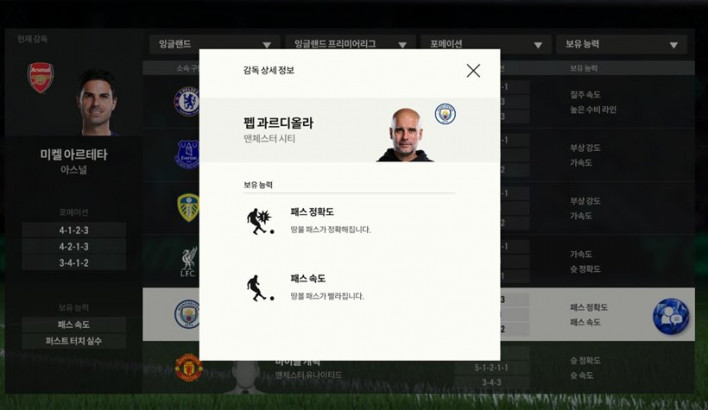
You can also choose a manager. Each manager has preferred positions, and using a formation that suits your manager grants additional effects. Furthermore, each manager has unique abilities. For example, Manchester City's Pep Guardiola increases the team's passing accuracy and speed. If you prefer a passing-oriented playstyle, he is a must-hire manager. Choose one that fits your style.
STEP 4: Time for Action! Essential Controls
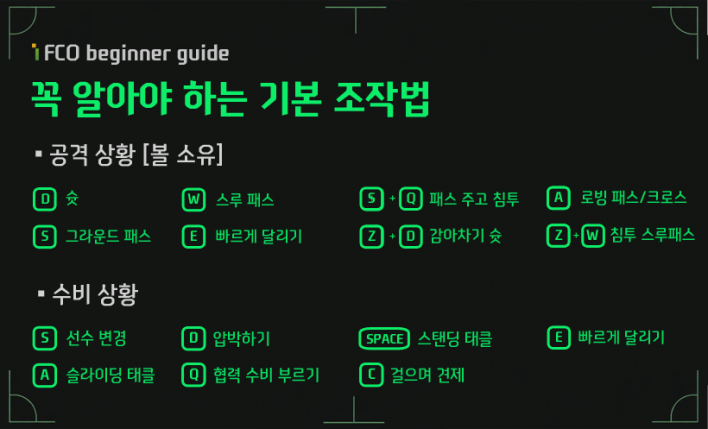
Team creation, player recruitment, and formation setup—the preparations are complete. Now it is time for the real deal: a battle of reflexes. You could jump straight into official PvP matches, but if you are a beginner or a returning player, I recommend getting a feel for the game through League Mode. Since it is PvE, you can play without any pressure.
In fact, in FCO, control is just as important as player stats—perhaps even more so. You need split-second judgment, physical awareness, proper inputs, a wide field of vision, and the ability to read your opponent's psychology. For now, let's just learn the simple controls. Passing with [S] and shooting with [D] is enough to start.
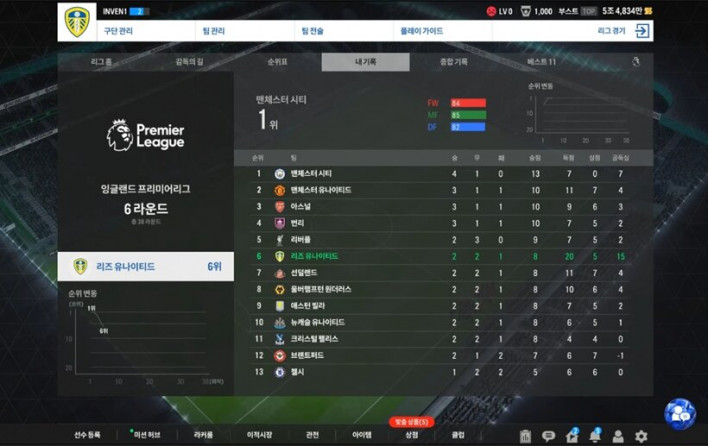
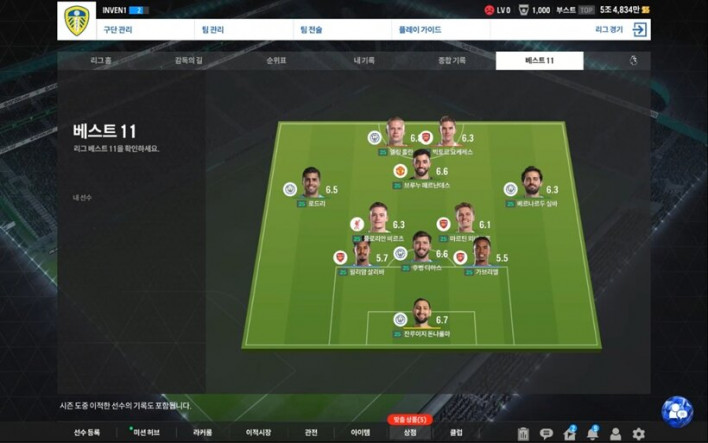
League Mode features competition for league points as well as individual titles. There is plenty to enjoy, so it is great for practicing before official matches, or you can just dive deep into League Mode itself. It might feel a bit easy at lower difficulties, but it gets quite challenging at the highest level!
STEP 5: Mission Hub + Web Events Packed with Must-Have Rewards
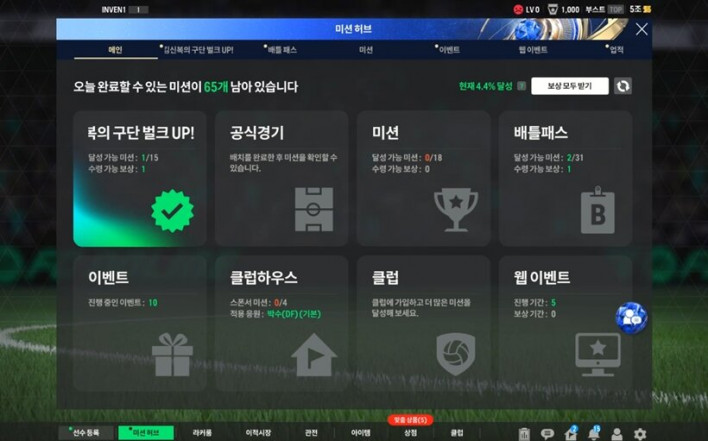
Once you've built your team, signed players, mapped out your tactics, and played a few league matches, you've gotten a taste of what FCO is all about. Now, all that's left is to dive into the various content available to help your team grow. The first thing you should check out is the [Mission Hub].
In the [Mission Hub], you can complete various missions and receive rewards. Some of these are limited-time events you absolutely cannot miss. Before finishing your daily FCO routine, stop by the Mission Hub to check your missions and claim your rewards. Also, various events are held on the website, so don't forget to check those as well.
As mentioned earlier, FCO is currently in the middle of its 8th-anniversary event. Many of these events take place on the website rather than in the game client. There are exceptional benefits prepared, so do not miss out.
8th Anniversary & 2026 Summer Update in 11 Minutes


Sort by:
Comments :0