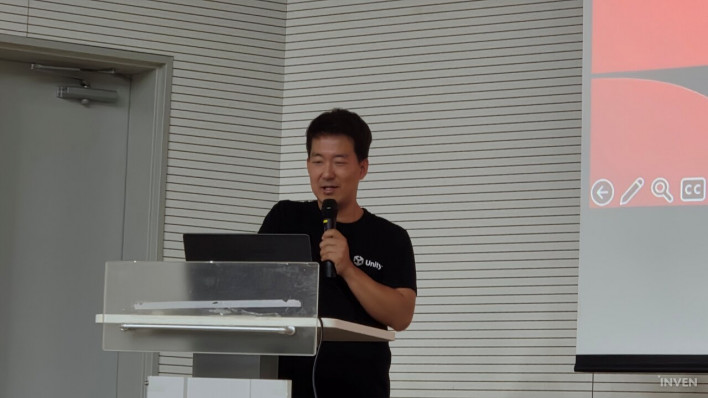
With game engines paying close attention to AI game development in recent years, Jong-tae Park, Staff Partner Engineer at Unity Korea, attended 'AI Game Lab Day 2026' as a speaker on November 12. The event was hosted by the Korea Creative Content Agency (KOCCA) at the Global Game Hub Center in Pangyo 2nd Techno Valley. Having previously worked as a lead gameplay programmer on ArcheAge, with stints at NCSoft, Autodesk, and Neowiz before joining Unity as an engineer, Park introduced the graphics evolution of the Unity engine tailored to the AI era alongside its AI tool ecosystem. He emphasized that an engine-specialized AI workflow is essential for moving beyond simple web-based outputs to create polished, high-fidelity games.
After outlining the rendering roadmap spanning Unity 6.6, Unity 6.7 LTS, and the next-generation Unity 7, he explained the AI development pipeline, which ranges from the in-editor AI tool 'Unity AI Assistant' and command-line-based 'Unity CLI' to plugins for external LLM agents and the web-based 'Unity Spark'.
Engine Evolution and Renderer Integration from Unity 6.6 to 7 Real-Time GI and Neural Rendering Introduced; Phased Sunset for Built-in RP and HDRP
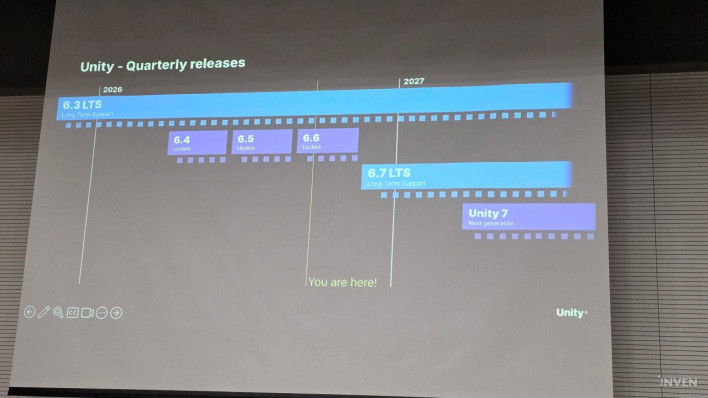
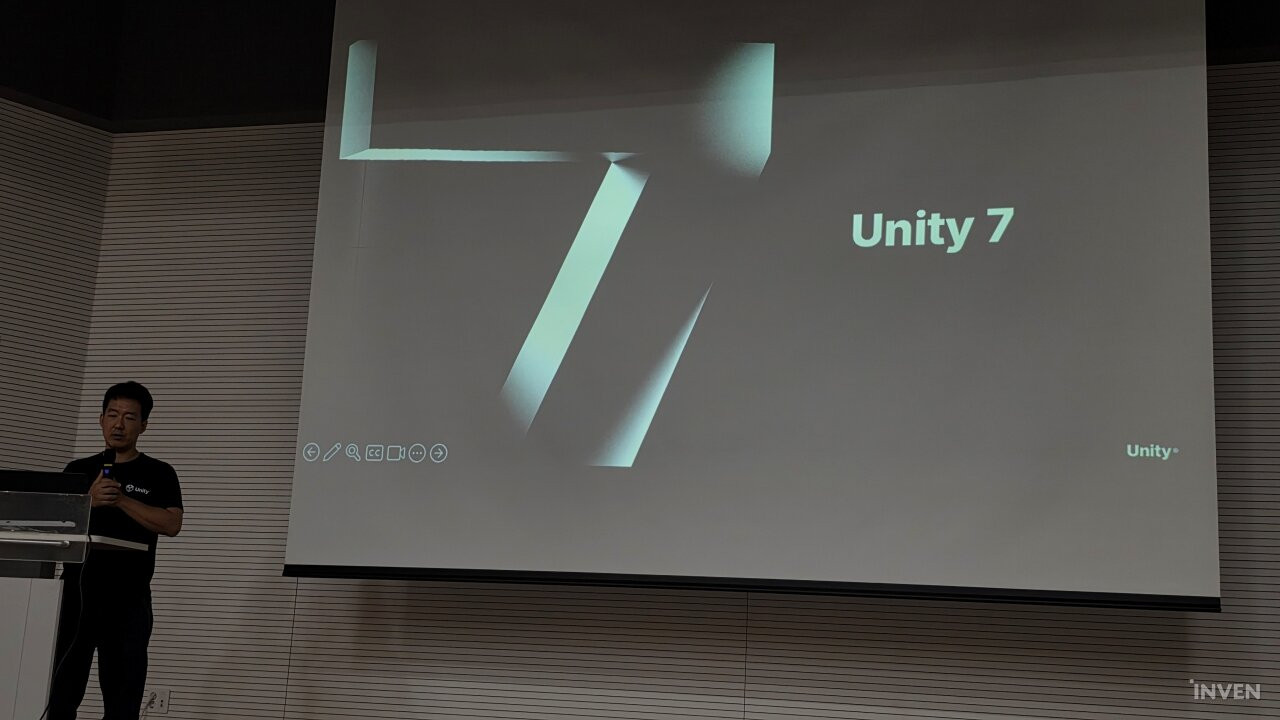
Following the currently released version 6.6, Unity plans to unveil 'Unity 6.7 LTS'—which provides two years of technical support—this December. After an alpha test late this year, it will officially release its next-generation version, 'Unity 7 (7.0)', around GDC next March. The core focus of versions 6.6 and 6.7 is the advancement of the Universal Render Pipeline (URP), the cross-platform standard renderer. This introduces Surface Cache GI (SCGI), which handles real-time indirect light across mobile, PC, and console without light baking; Screen Space Reflection (SSR) for dynamic screen-space reflections; and Ground Truth Ambient Occlusion (GTAO) for improved occlusion quality. It also features an upscaling framework managing DLSS, FSR, PSSR, and STP (with a Qualcomm Snapdragon Neural Super Resolution plugin coming by year-end), Neural Texture Compression (NTC) leveraging Unity's proprietary inference engine 'Sentis' to reduce texture memory by approximately 40%, multithreaded 'Physics Core 2D', and a dedicated 2D profiler.
'Unity 7', releasing next year, marks a major transformation in both programming environment and graphics. With the adoption of CoreCLR and the latest C# version, garbage collection (GC) performance and previously slow domain reload speeds are significantly improved. High-level 2D and animation control layers are also added, abstracting low-level engine mechanisms (such as coordinate transformation and hierarchy linking) so that AI can easily control them. In particular, as the existing three-renderer system consolidates into URP, sunset schedules for legacy renderers have been finalized.
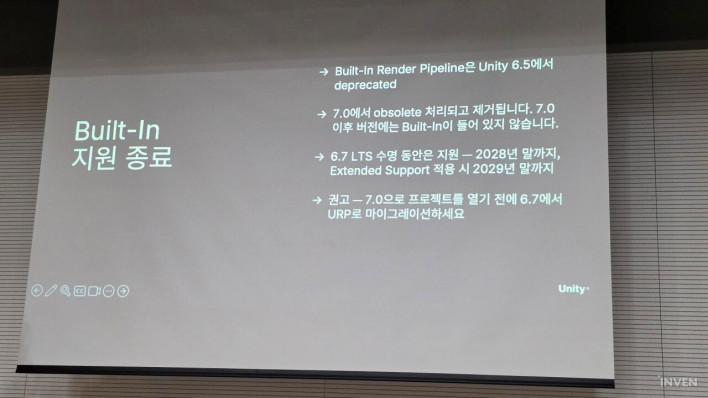
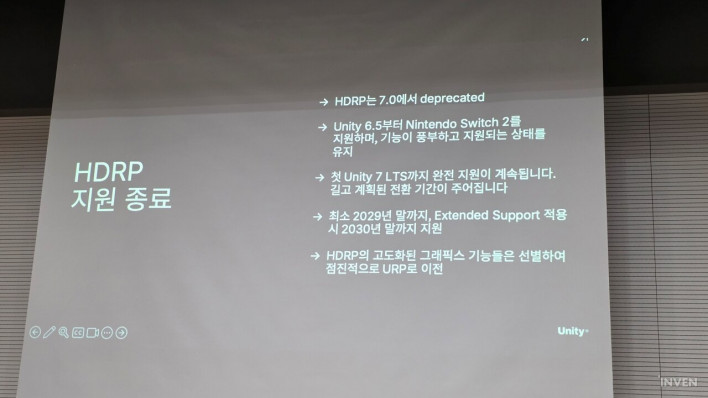
'Built-in RP', which had new project creation deprecated starting in version 6.5, will be marked completely obsolete at the code level and removed in Unity 7, remaining supported only during the lifecycle of the preceding version 6.7 LTS (2028–2029). 'HDRP' will also enter a phased sunset process beginning with Unity 7.0; taking into account support for Nintendo Switch 2 and other factors, standard licenses will be supported through late 2029, and Enterprise/Industry licenses through late 2030. In exchange, core high-quality graphics features from HDRP—such as Physically Based Sky simulating real atmospheric scattering, atmospheric effects, Volumetric Fog, Physical Light Units in lumens and candelas, and Auto Exposure—will be ported en masse to URP in Unity 7.
'Unity AI Assistant' Controlling the In-Editor Environment Integrated Support from Editor Control to Asset Generation and Profiler Bottleneck Analysis
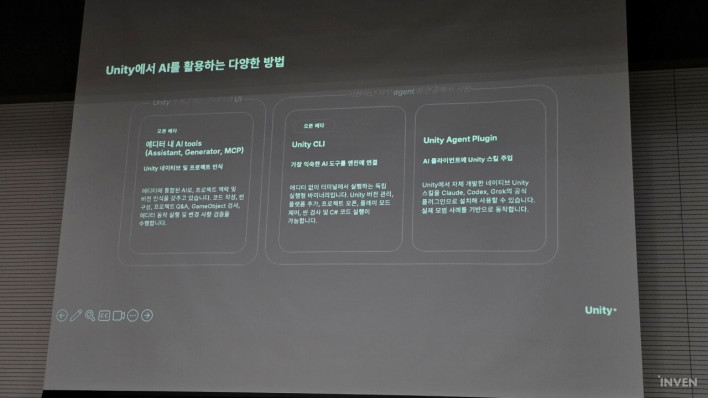
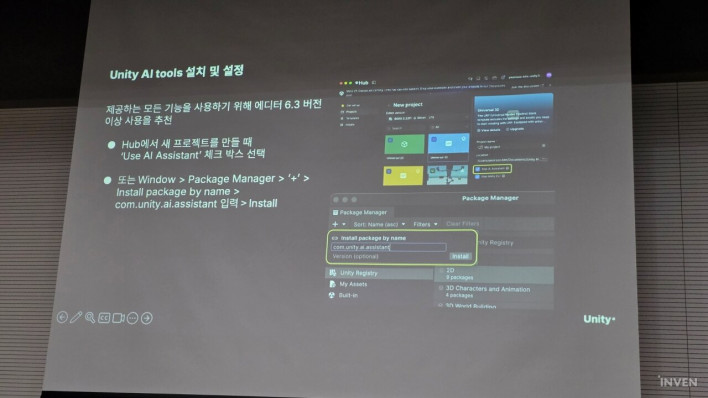
The first pillar of AI utilization in Unity is 'Unity AI Tools', which packages Unity's expertise and best practices into a harness built directly inside the editor. It can be installed via the Package Manager (com.unity.ai.assistant) or the AI button at the top of the Unity 6 Editor, and consists of three core features: 'AI Assistant', 'Generator', and 'AI Gateway'.
'AI Assistant' is an agent that analyzes the project's scene hierarchy, settings, packages, and code status to actively manipulate the editor. Depending on the use case, it offers four models: 'Lite' for lightweight Q&A, 'Default' for general agent tasks, 'Ultra' for Opus-level high performance, and 'Experimental', an experimental model providing Ultra-level performance with reduced token consumption. Users can also directly connect Claude Code or Codex API keys via 'Add Agent'.
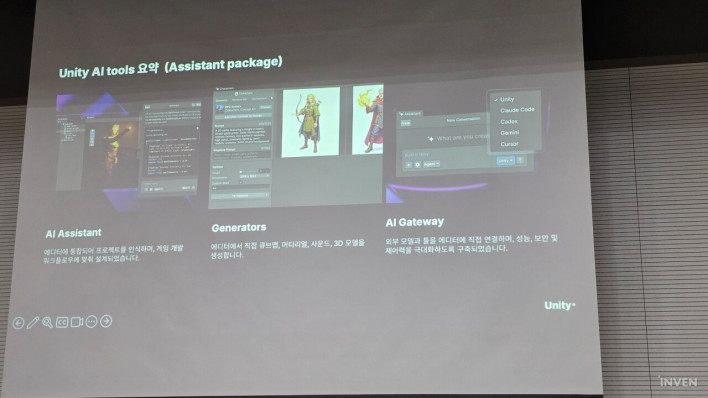
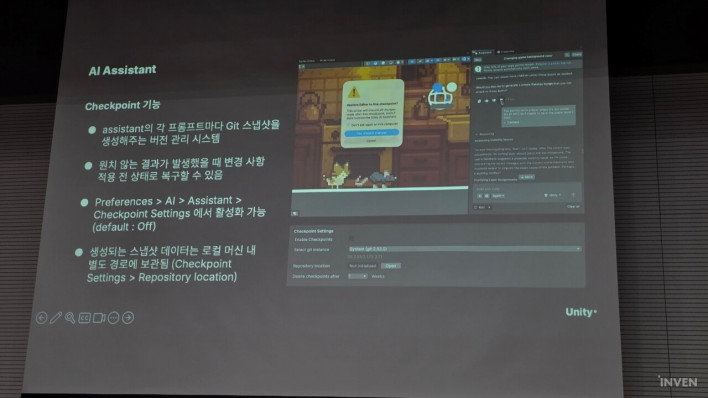
Operating modes are divided into 'Ask Mode' for simple queries, 'Plan Mode' for initial design assistance, and 'Agent Mode' for directly executing editor operations. Users can attach error logs directly from the Console window to fix issues, or in Unity 6.3 and above, drag specific bottleneck sections in the Profiler to analyze and resolve root causes via 'Ask Assistant'. It also supports 'Checkpoint', a feature that precise-reverts to a prior state commit-by-commit if AI-generated code is unsatisfactory, as well as UI Toolkit/uGUI creation and automated scene placement based on registered assets.
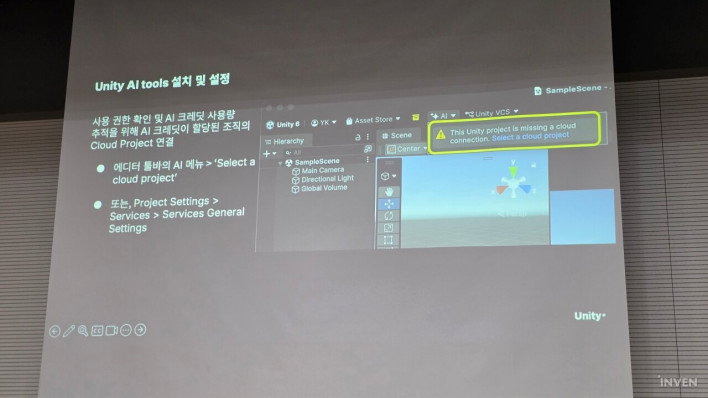
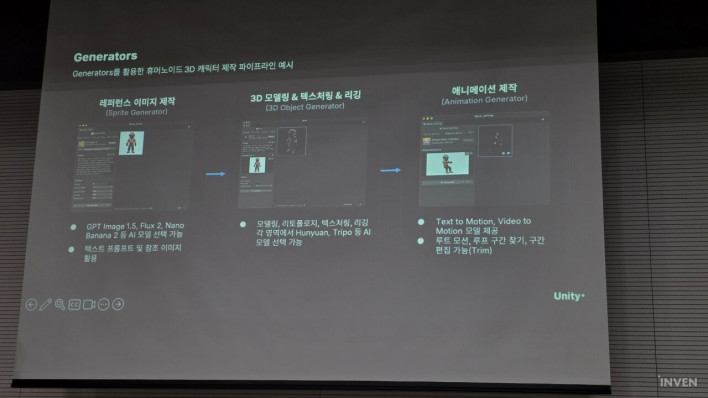
The integrated 'Generator' (supported in version 6.3 and above) connects verified external generative AI models to handle everything from 2D sprite generation to 3D modeling conversion, texturing, rigging, movie-to-animation, audio clips, cubemaps, background removal, and pixelation directly inside the editor. Costs are billed via 'Unity AI Credits' (approx. 1,000 credits per $10), consuming 1–6 credits for image generation, 1–9 credits for textures, 8–13 credits for 3D models, and roughly 100–1,000 credits per game creation under Ultra mode. Pro license holders receive 2,000 credits per user per month, and Enterprise/Industry licenses receive 3,000 credits per user per month as free monthly refills. It can be used immediately by linking an account ID to a cloud project, without needing to upload local projects to the cloud.
'Unity CLI' Reduces Token Consumption and Boosts Speed Pipeline Package Integration Enables Instant Background Editor Control Without Restarts
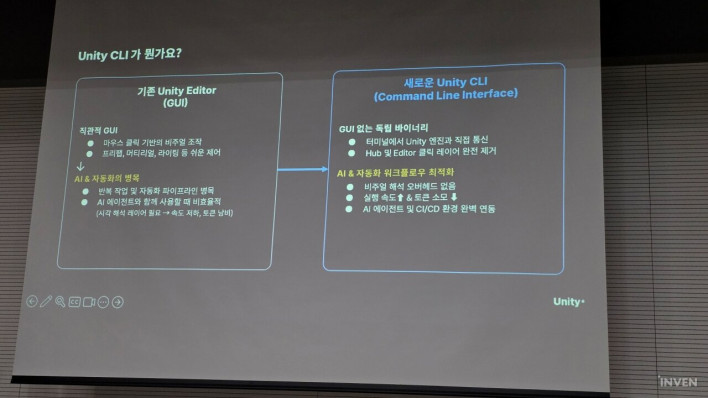
The second pillar is 'Unity CLI (Command-Line Interface)', designed for developers looking to work via text commands in a terminal environment without launching the editor GUI or seeking parallel automation. The previous AI Gateway method based on Model Context Protocol (MCP) used for external agent integrations suffered from high token consumption because all steps were processed in natural language. In contrast, Unity CLI provides a clear command set that allows agents to call only the precise commands required, significantly boosting execution speed and dramatically lowering token usage.
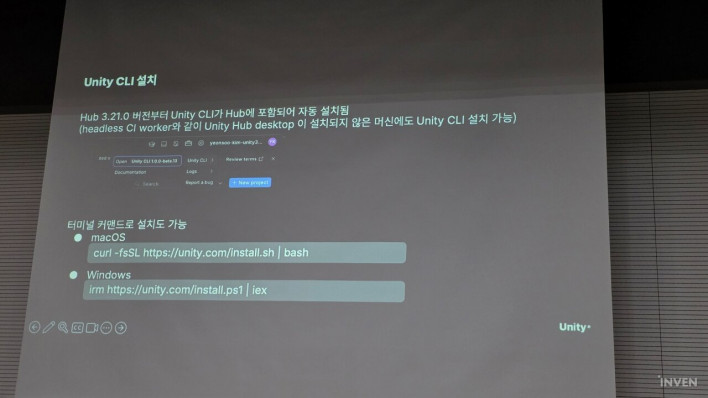
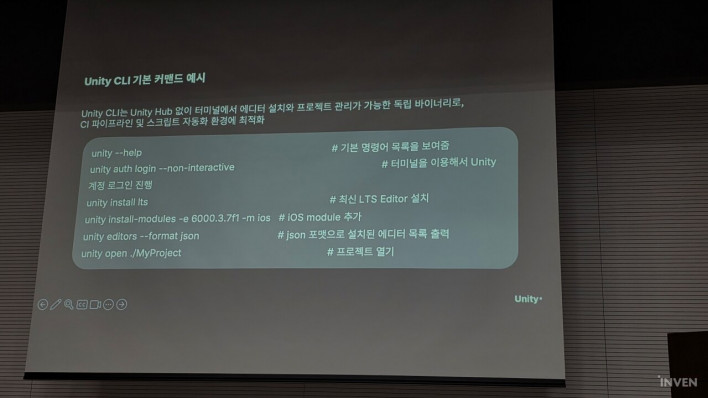
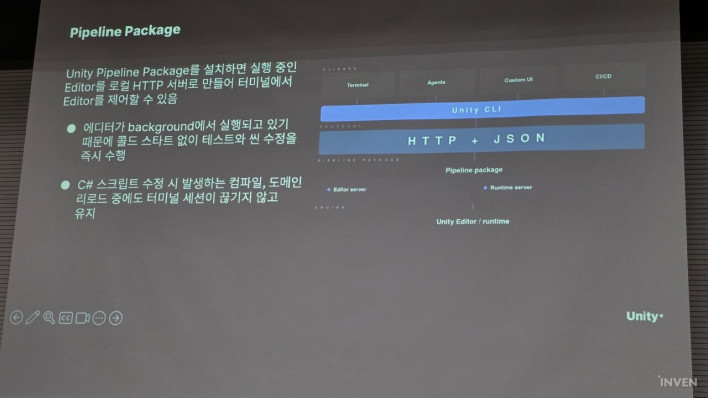
Unity CLI can be installed via the top-right menu of the latest Unity Hub or through terminal commands. While it can independently handle editor/module installations and license management, it truly shines when integrated with the dedicated 'Pipeline package'. Previously, issuing automation commands in Batch Mode required the engine to restart for every command; however, the Pipeline package turns a background-running Unity Editor into a local HTTP server, allowing the CLI to immediately control the editor from the terminal. As a result, terminal sessions remain uninterrupted even during C# script compilation or domain reloads.
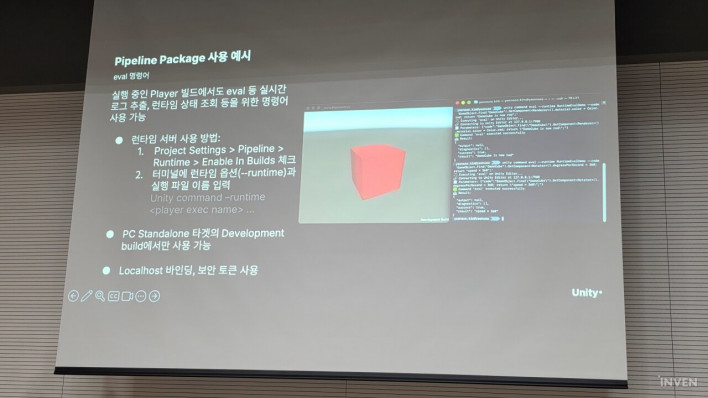
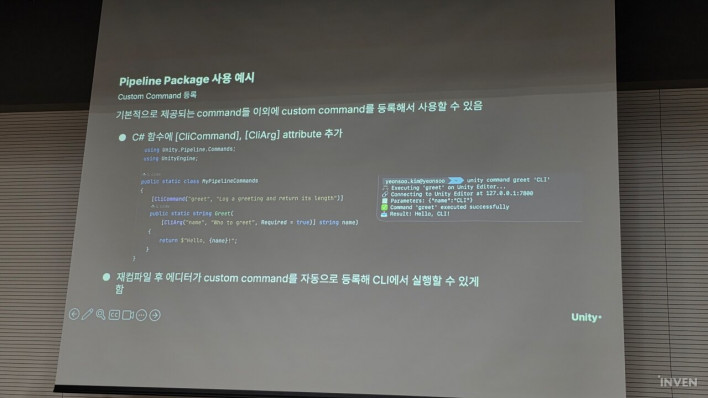
The Pipeline package can be easily installed when creating a project in Unity 6.3 and above by checking the 'Use Unity CLI' option or typing unity-pipeline install in the terminal. Using the core eval command, developers can immediately execute arbitrary C# code from the terminal to place objects in a scene, run simulations, perform player builds, and seamlessly automate CI/CD pipelines and testing environments.
External LLM Agent 'Plugins' and Web-Based 'Unity Spark' Official Support for Claude Code, Codex, and Antigravity Alongside Browser-Based Collaborative Development
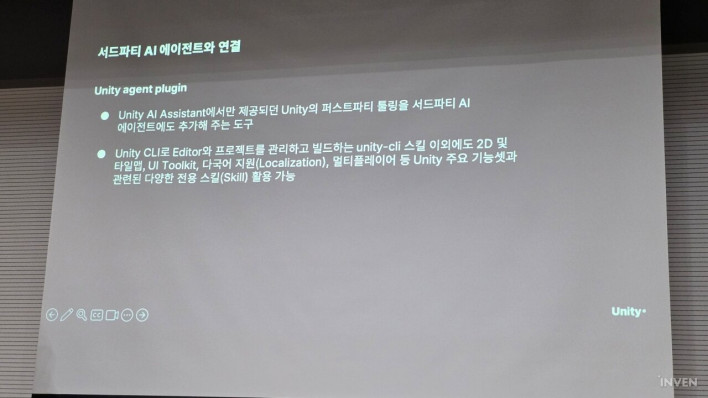
The third pillar consists of official 'Unity plugins' and agent skills that allow commercial large language model (LLM) agents to operate Unity directly. Official Unity plugins are currently available for Anthropic's 'Claude Code', OpenAI's 'Codex', and Google's 'Antigravity'. Developers can selectively toggle desired MCP skills within the editor's AI Gateway, and by combining Unity's published agent skills with official plugins, external agents can control projects with a full understanding of the Unity Editor's structure and syntax.
Furthermore, Park unveiled 'Unity Spark', a new product that enables game creation using natural language directly within a web browser without installing the editor separately. Combining a web-based editor with AI agents, Unity Spark supports multiplayer collaboration, allowing multiple creators to join the same screen simultaneously, converse in real time, place levels, and build games together.
Notably, Unity Spark integrates directly with the Unity Asset Store and the Asset Manager on the Cloud Dashboard. Creators can immediately import previously purchased store assets or proprietary assets into web projects and assemble games via natural language prompts, offering a novel workflow for developers with extensive asset libraries. Unity also plans to collaborate with 'Playground', Google's web game platform starting beta testing in North America later this year, enabling games created with Unity Spark to be published instantly.