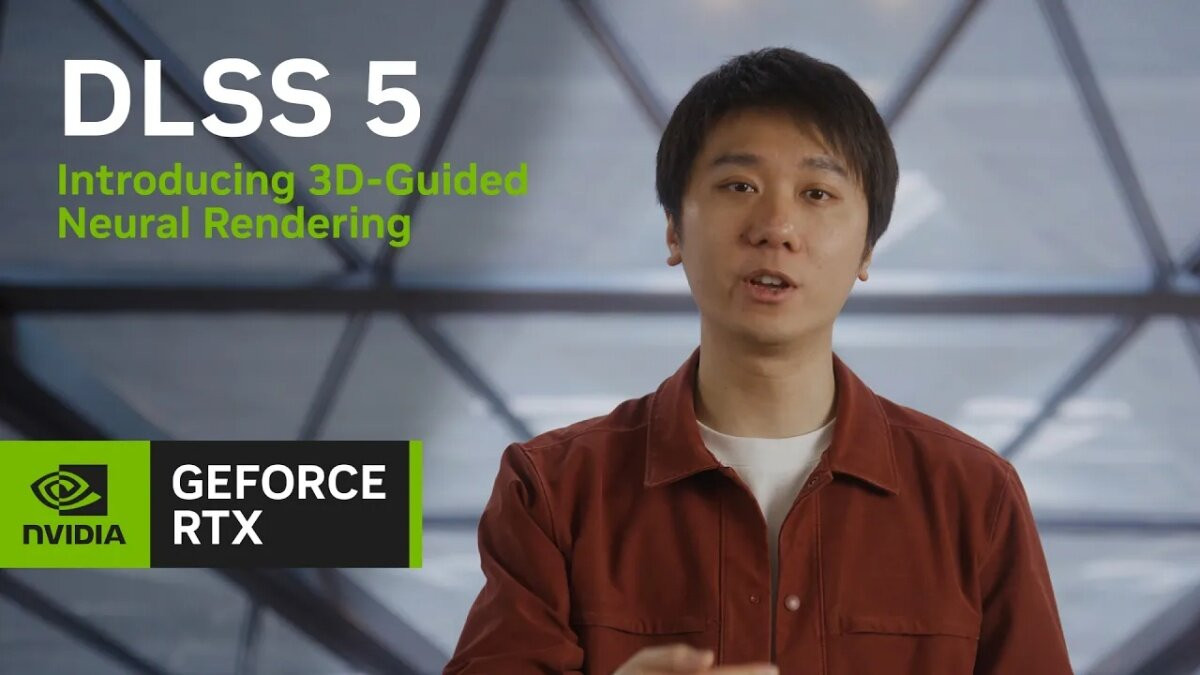
NVIDIA announced that it will introduce its new upscaling technology, DLSS 5, on September 4 at 1:00 PM KST. The first title to feature the technology is 'NBA 2K27', developed by Visual Concepts and published by 2K. Supported hardware includes the full lineup of desktops and laptops equipped with RTX 50 Series GPUs, as well as its cloud gaming service, GeForce NOW.
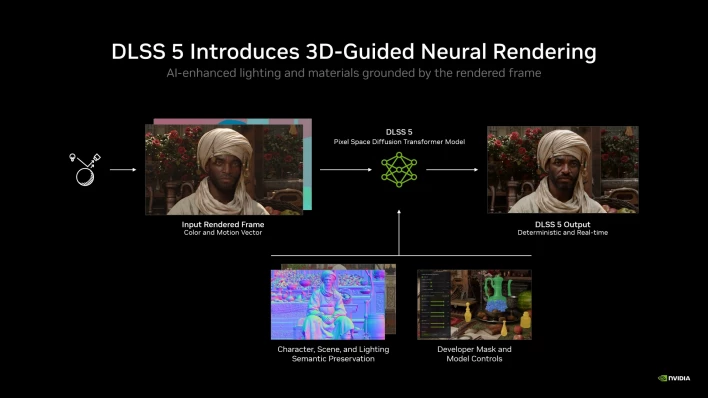


While the existing DLSS 4.5 focused on boosting frame performance by using AI to render 23 out of 24 pixels displayed on screen through Super Resolution, Frame Generation, Ray Reconstruction, and other features, DLSS 5 takes things a step further by focusing on visual quality improvements rather than performance gains. It uses AI to complement detailed lighting and material representations that previously had to be scaled back due to the computational limits of real-time rendering.
The core technology is 3D-Guided Neural Rendering. While typical generative AI creates images using text prompts, DLSS 5 uses frames actually rendered by the game engine as input data. NVIDIA explained, "Because this method produces consistent results and stable transitions between frames, it operates on a one-frame-in, one-frame-out basis without issues where character faces or environments randomly change frame by frame." They added, "By leveraging the Tensor Cores in the RTX 50 Series, it can run in real time at up to 4K resolution on a single GPU, and higher quality input data yields higher quality final results."
According to NVIDIA's internal benchmarks for 'NBA 2K27', at 4K resolution with the Ultra preset and ray tracing enabled, the RTX 5090 reached up to 370 fps. At 2560x1440 resolution, it recorded 590 fps on the RTX 5090, 410 fps on the RTX 5080, 350 fps on the RTX 5070 Ti, and 260 fps on the RTX 5070.
To use DLSS 5, users must install the new GeForce Game Ready driver distributed starting September 4 at 1:00 PM KST. After downloading the driver from NVIDIA's website or the NVIDIA app, players can enable the 'DLSS Neural Rendering' option under the in-game 'Video Settings'. Other DLSS options, such as Super Resolution, Frame Generation, and Reflex, can be adjusted to desired settings just as before, and players can press the F9 key on their keyboard during gameplay or replay screens to toggle the DLSS Neural Rendering option on and off.
According to NVIDIA, DLSS 5 transitioned from requiring a dual RTX 5090 setup to running on a single GPU in the six months since its initial reveal last March, achieving roughly a 5-fold performance improvement. NVIDIA stated that it plans to further enhance performance through additional model updates this fall, adding that it will expand the list of titles supporting DLSS 5 over the coming weeks and months.



Sort by:
Comments :0